Ask a business question. Get an analysis you can stand behind.
Upload your data and ask in plain words. Minutes later, Evident hands you a finished analysis: the answer, a written Story with charts, the evidence behind every number, and a deck ready to present.
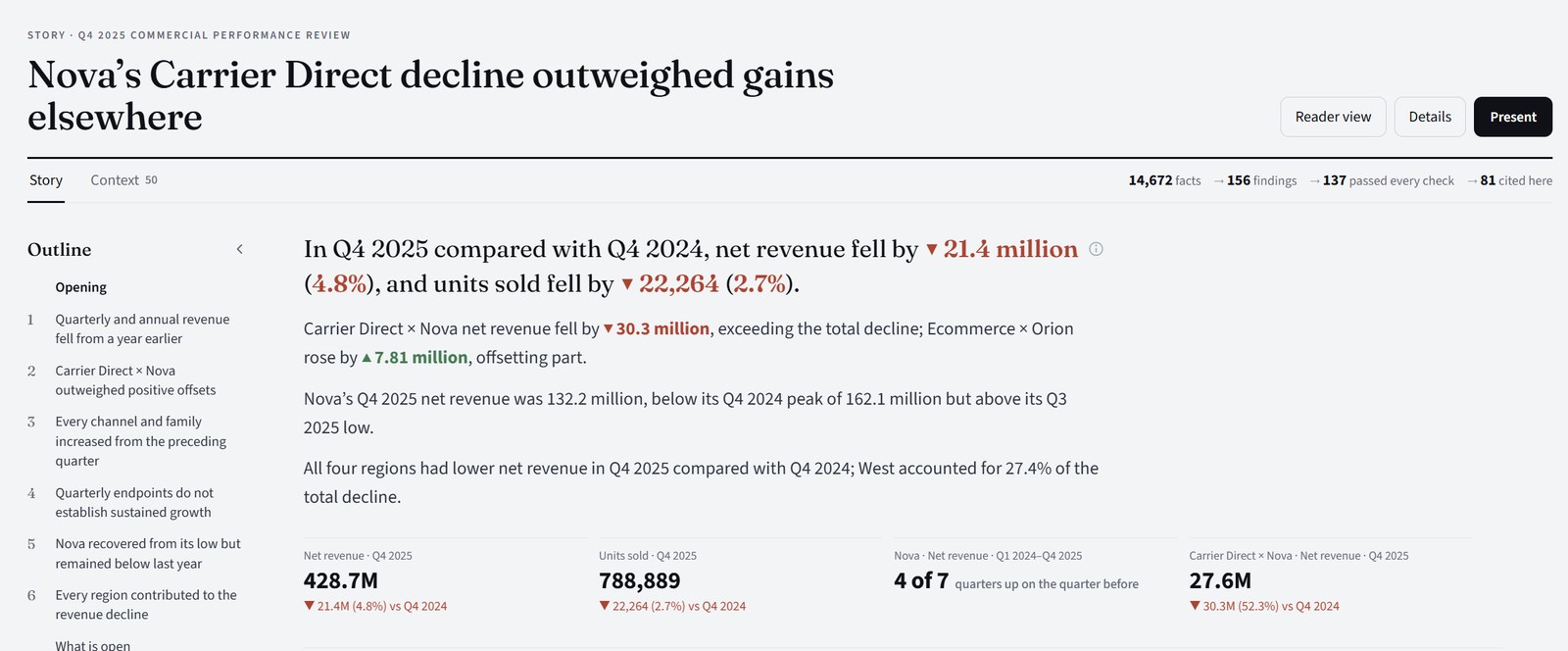
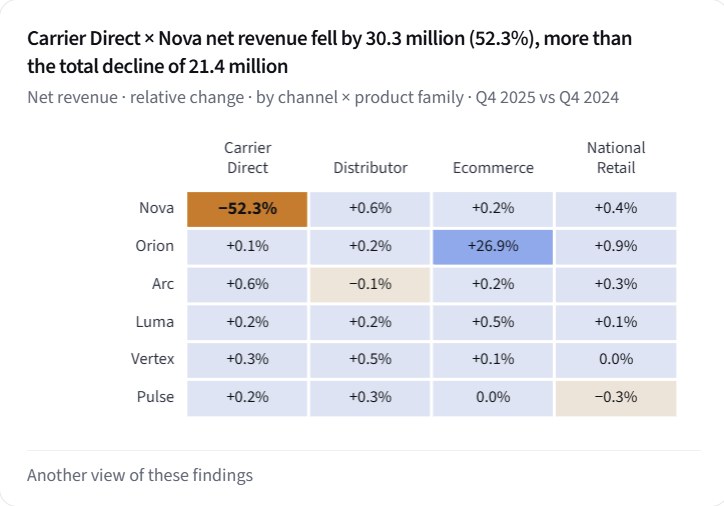
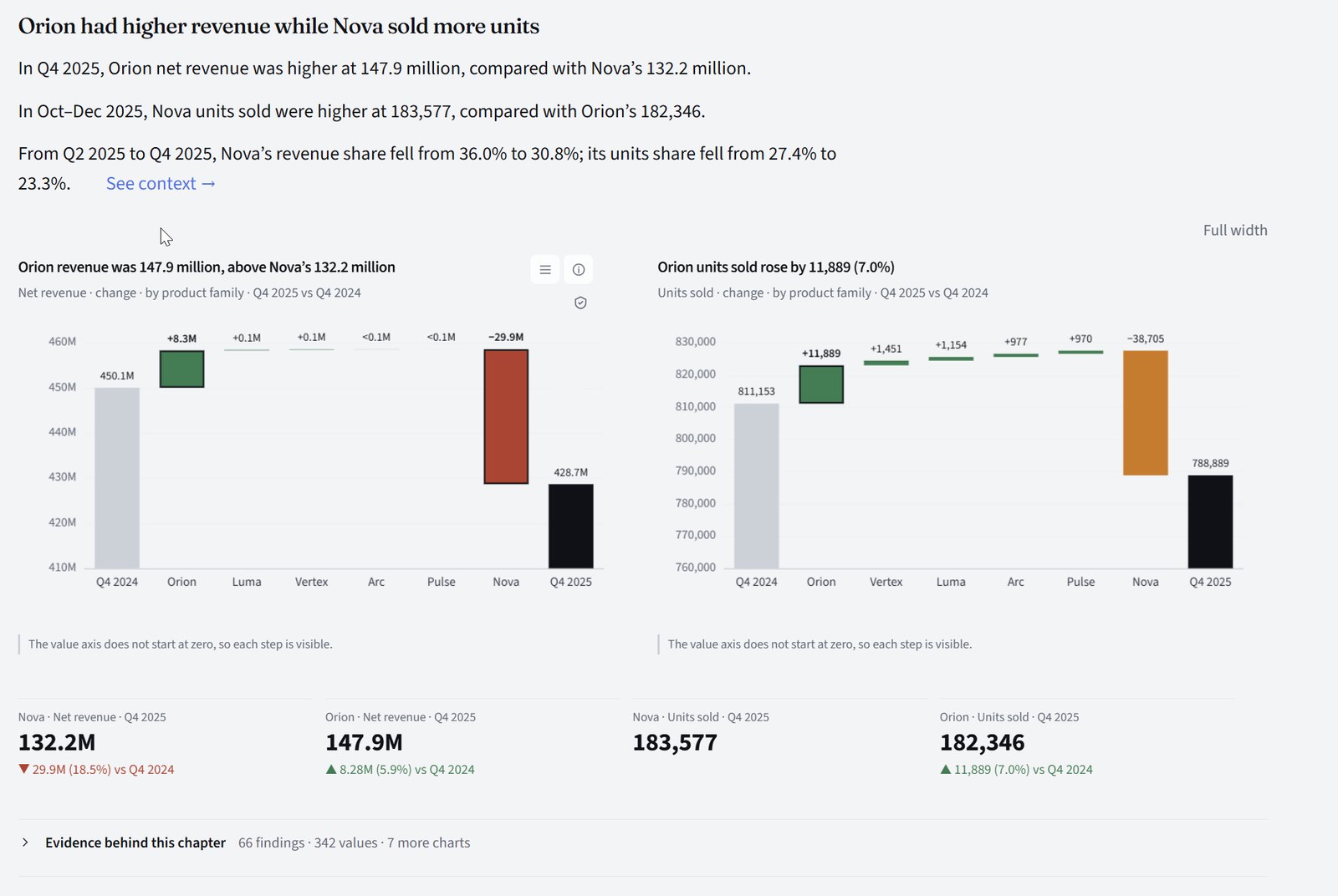
A Q4 2025 commercial review, as Evident delivered it. Synthetic sample data.
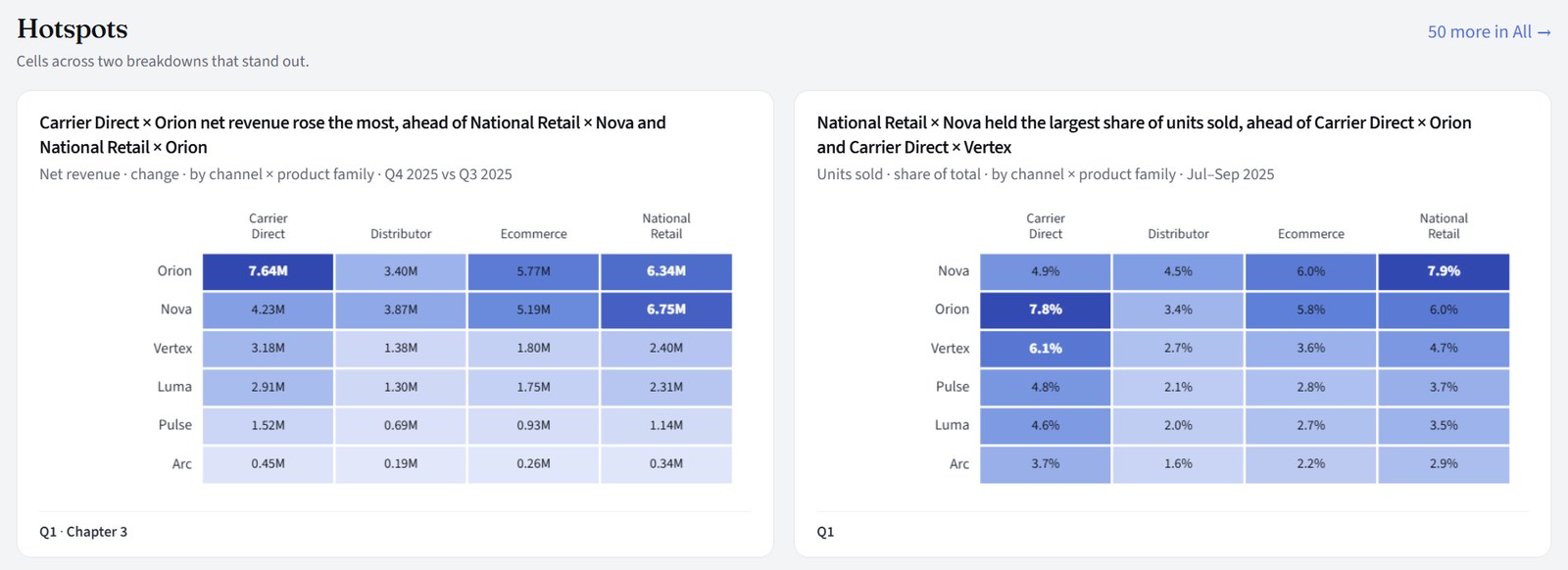
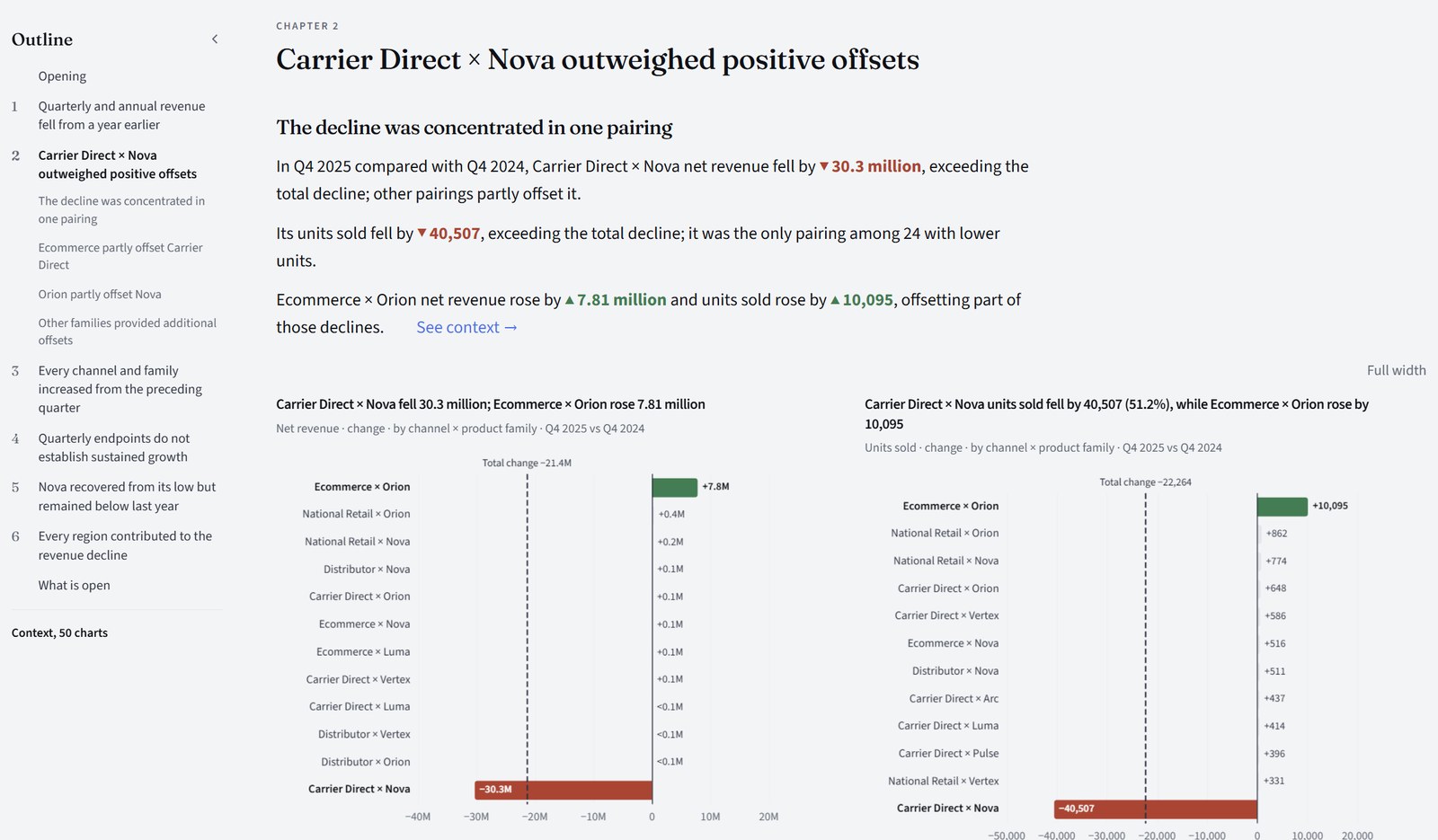
The headline's claim is drawn and checked, not only written: the heat map behind it comes from the same Story.
AI tools answer in seconds, but you can't tell which numbers are real. A careful analyst gives you numbers you can trust, but takes days.
Evident gives you both: an answer in minutes, and numbers you can check.
Why you can trust every number
Code does the arithmetic and the checking. AI only chooses and explains, and everything it writes is checked before you read it.
Code computes every number
From your data's rows, the way a spreadsheet would. AI never writes a figure.
AI only chooses and explains
It chooses which computed findings matter and writes them up, inside guards that stop it drifting or changing the meaning.
Code checks every number and sentence
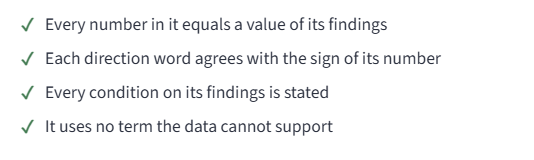
Everything the AI wrote is checked against the finding it came from: the numbers must still match, and the wording must pass. Anything that fails is dropped before you see it. When results are read, every number is matched again to the fact it came from.
Every number opens to its rows
In the Story, every sentence with a figure, every set of key figures and every chart has Check this. Press it: the totals behind the number are added up again from your rows, each step of the arithmetic is shown, and the rows themselves are there to filter, pivot or download.
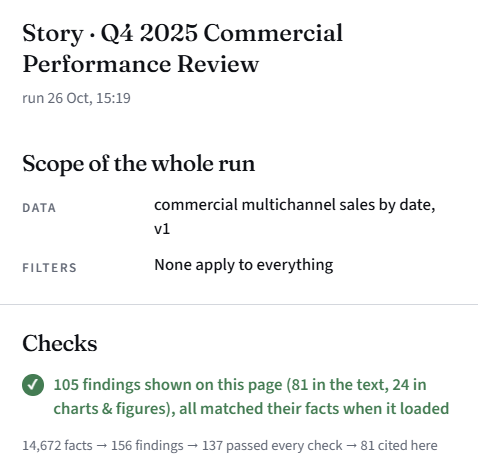
In the review above, 19 findings failed a check and were dropped before the Story was written. None of them reached a page.
 on every figure in the Story
The rules and thresholds an analysis uses are listed in plain words on the Analysis rules page. What it could not settle is listed under “What is open” at the end of the Story.
Two kinds of checks. The ones that dropped the 19 findings ran during the run, before the Story was put together. The ones below are confirmed when the results are read: each result is the one the run checked, and every number still equals its fact.
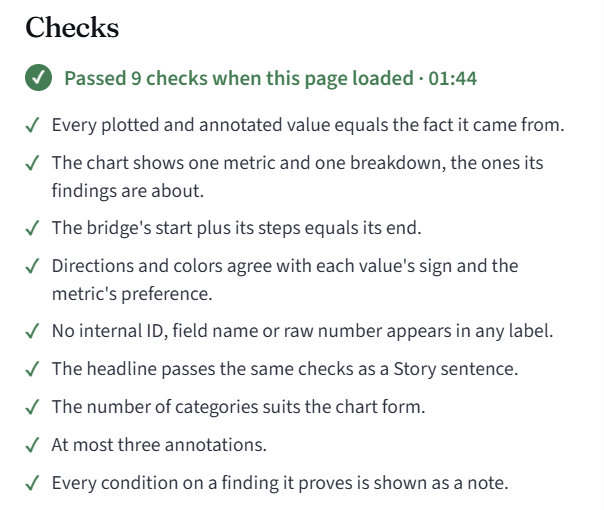
Click the (i) on anything. See exactly what it shows.
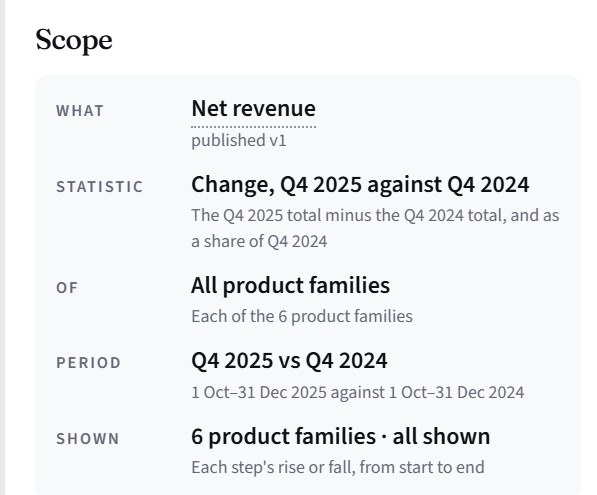
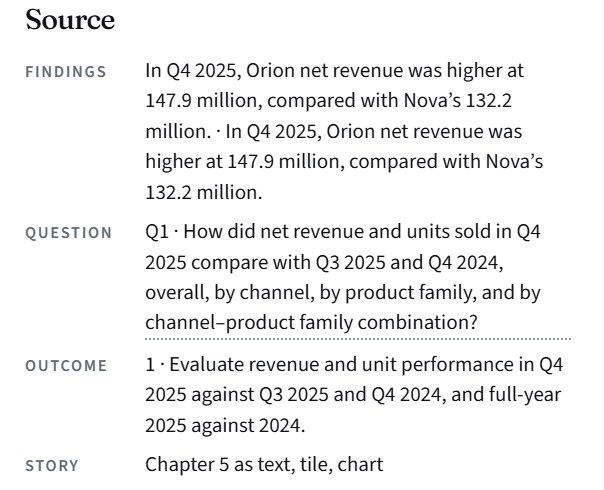
Every chart, set of key figures and section of text in the Story has an (i). It opens the Details panel: what is measured and over what, the exact values behind the rounded ones, the findings they came from, the checks they passed, and any caution that applies.
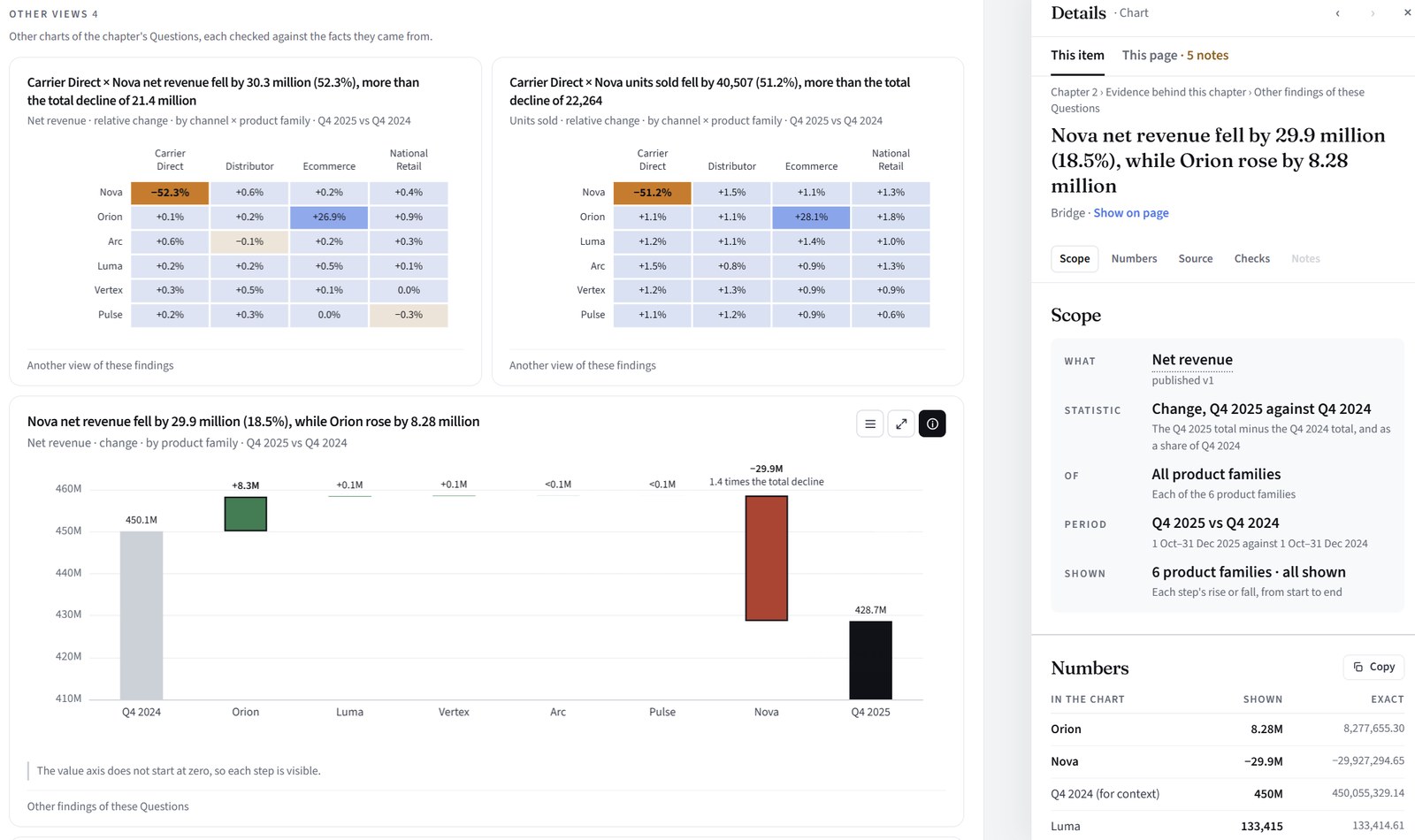
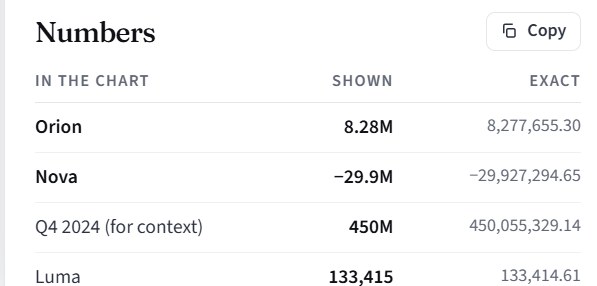
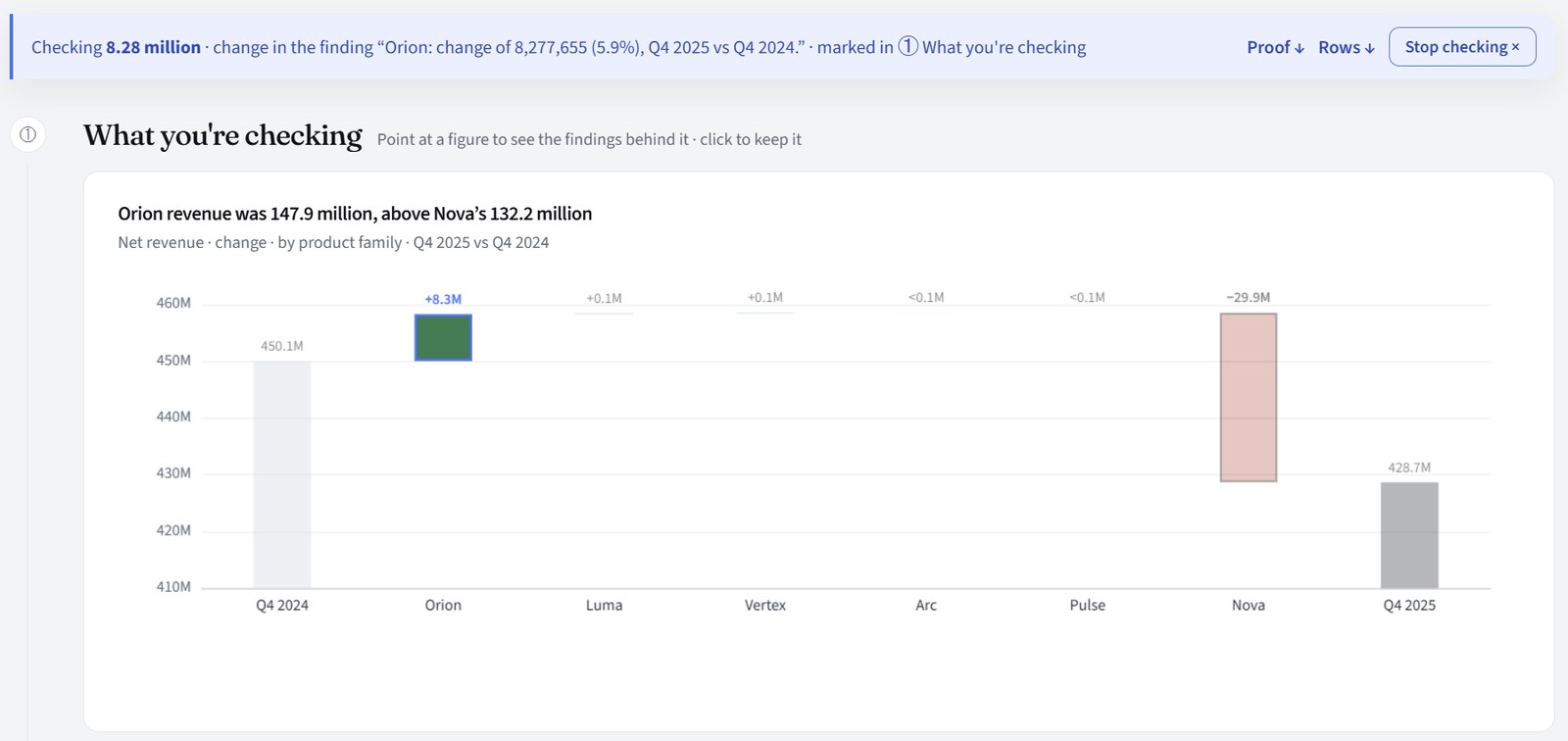
Numbers, lifted out. Each value as shown and exact: Orion 8.28M is 8,277,655.30. The page rounds; the panel doesn't. Copy puts the exact values on your clipboard.
What one request gives you
One request, four ways to use it, all from the same checked findings. In the Story, every sentence with a figure, every set of key figures and every chart has Check this: press it and the calculation behind it opens, added up again from your rows, with the rows themselves to view, pivot and download.
Each chapter states its findings in plain sentences, with the charts that show them and key figures for the main numbers. Under each chapter, the evidence behind it: every finding of its Questions, their values, and further charts.
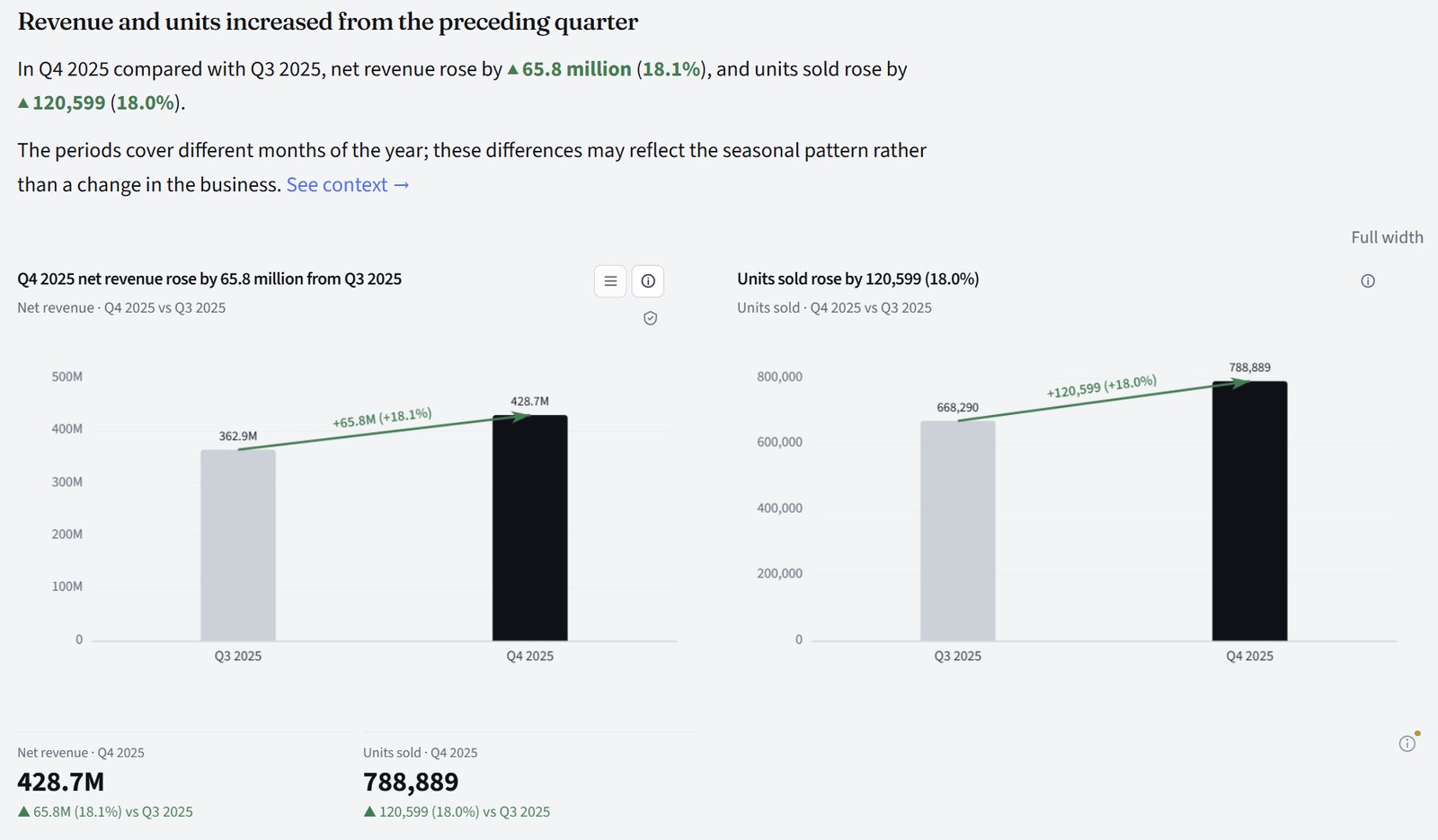
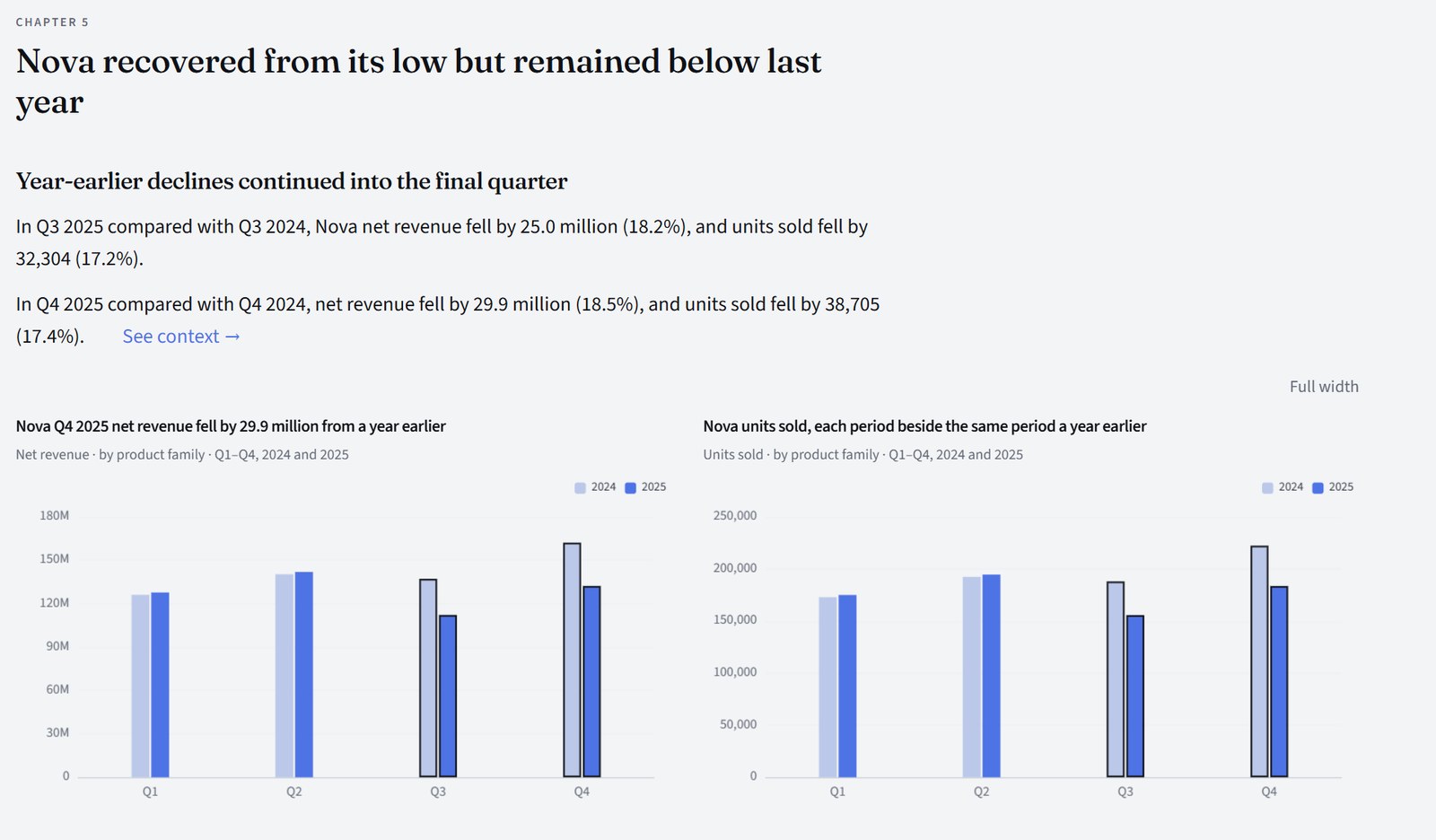
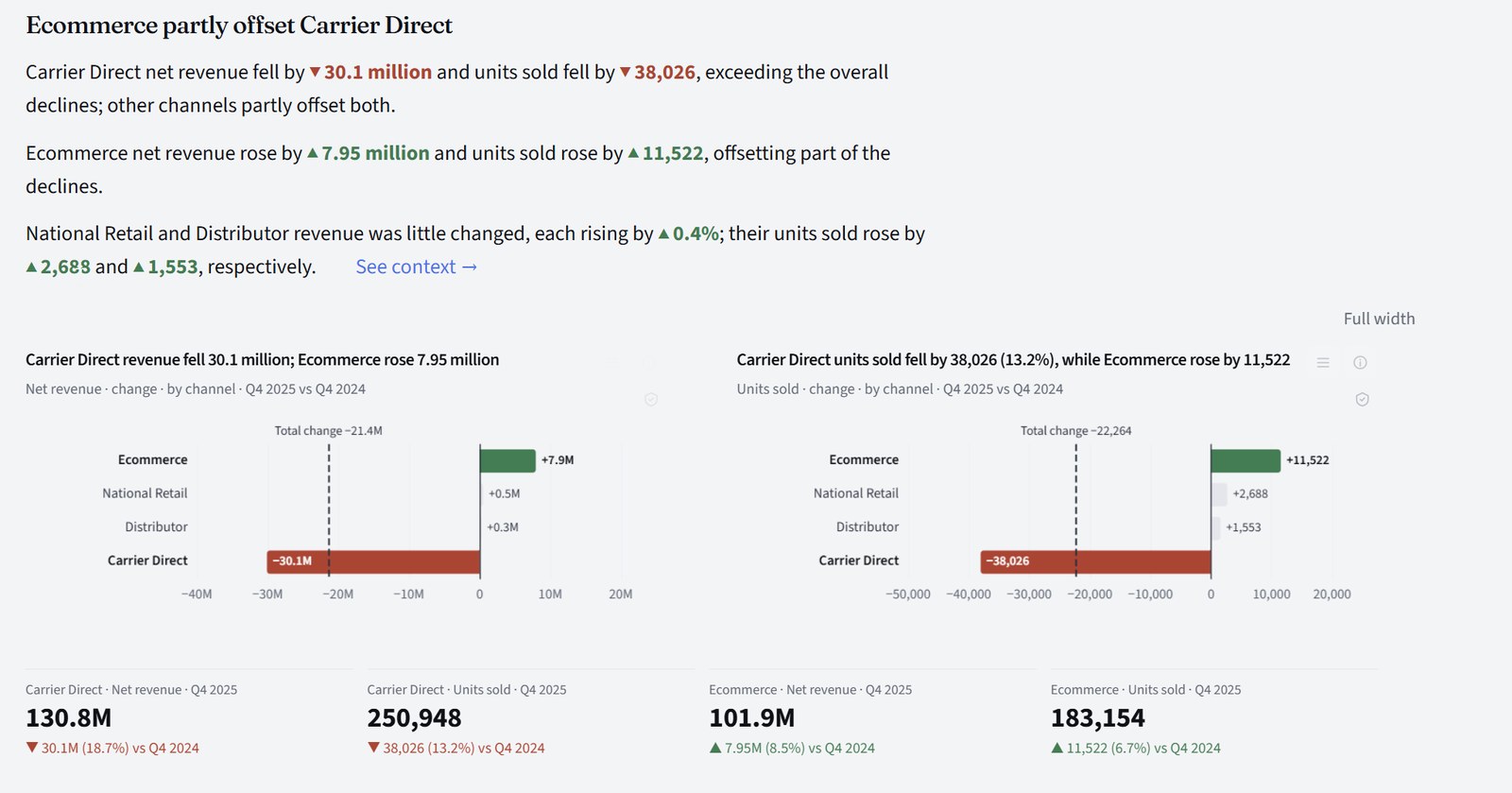
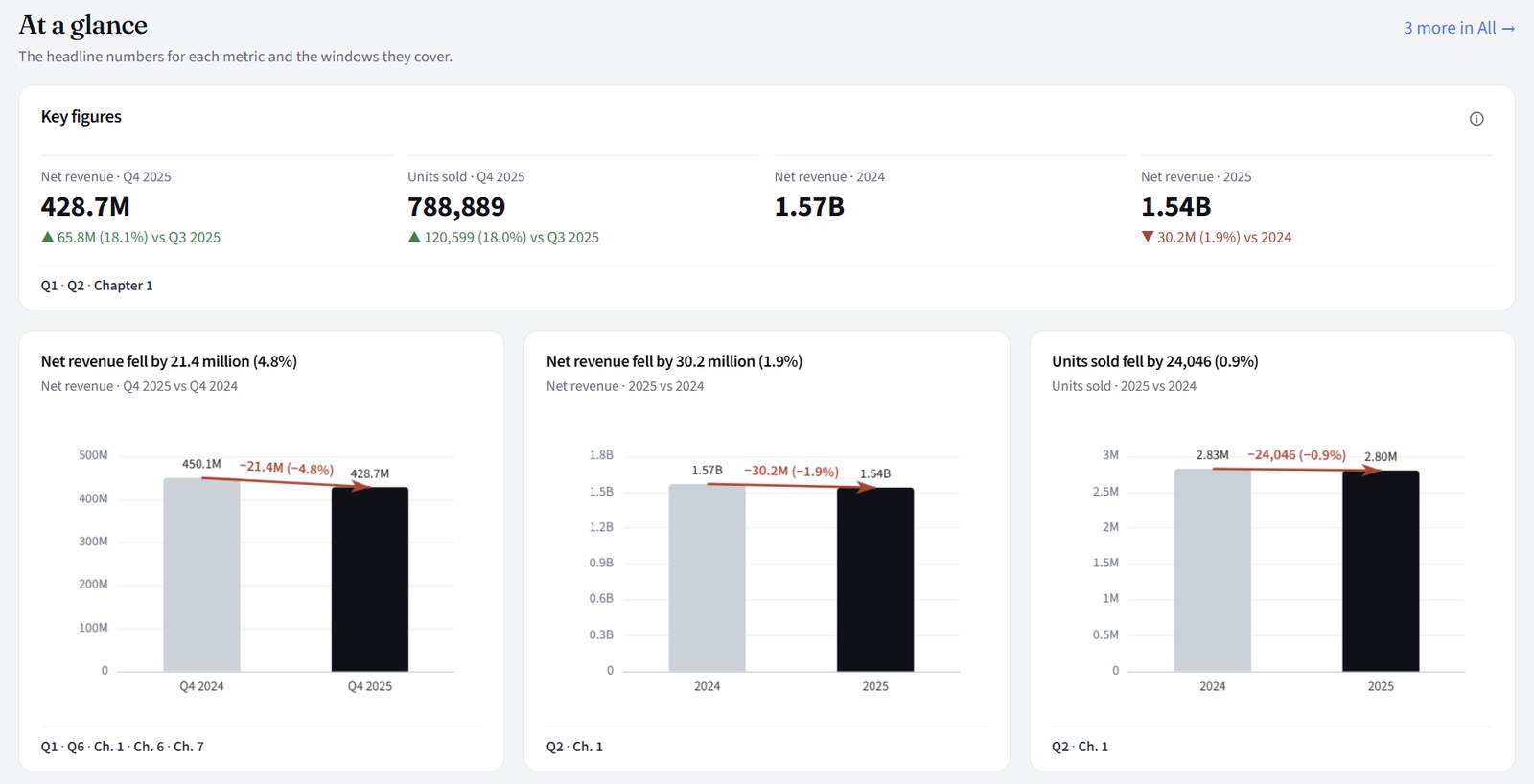
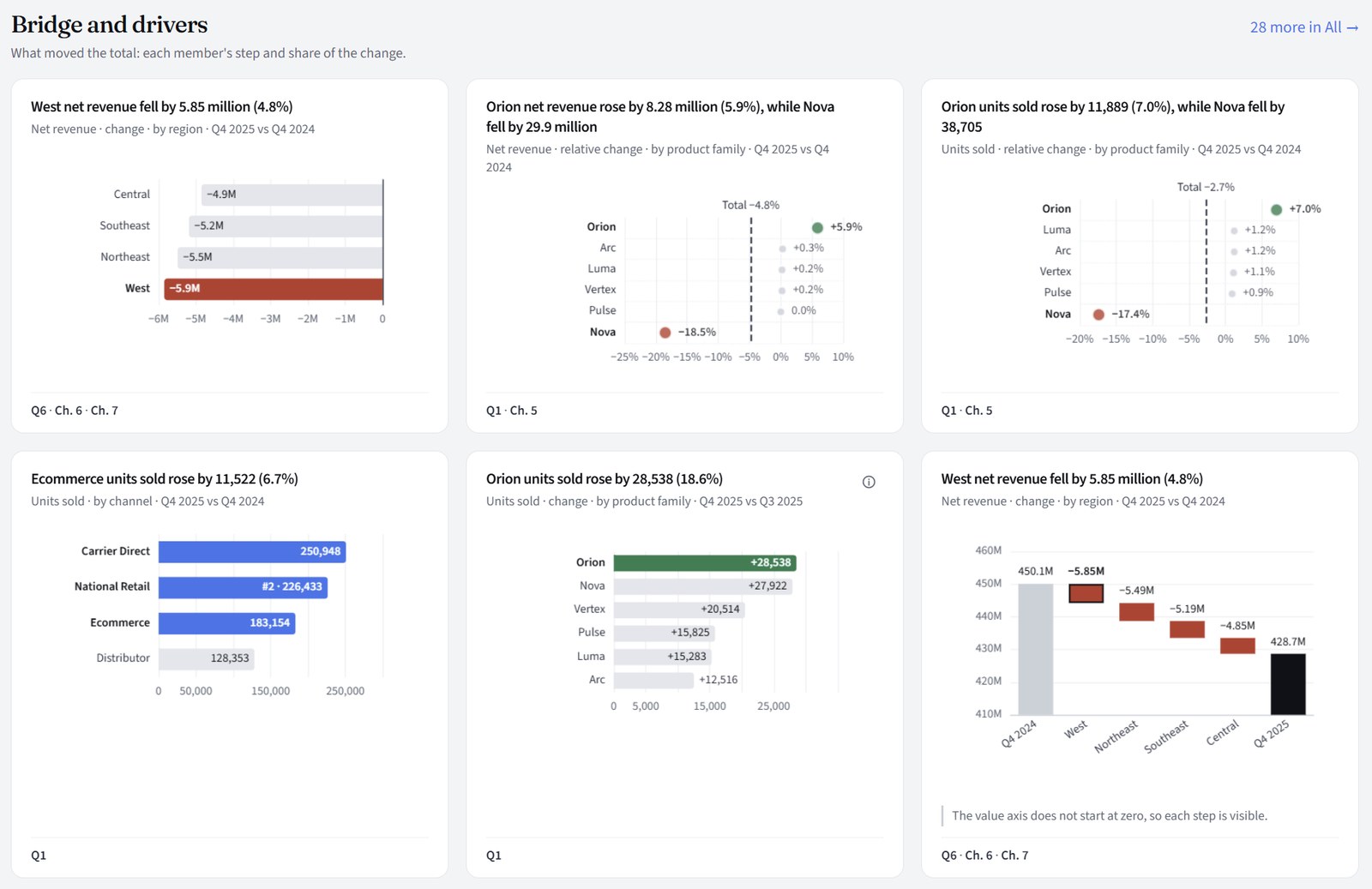
The analysis's charts as one dashboard, grouped by what they show: at a glance, what moved the total, where it sits, over time, and how it is made up. Each is drawn from the same checked findings and tagged with the Questions and Story chapters that use it, so you can see more than the Story had room for.
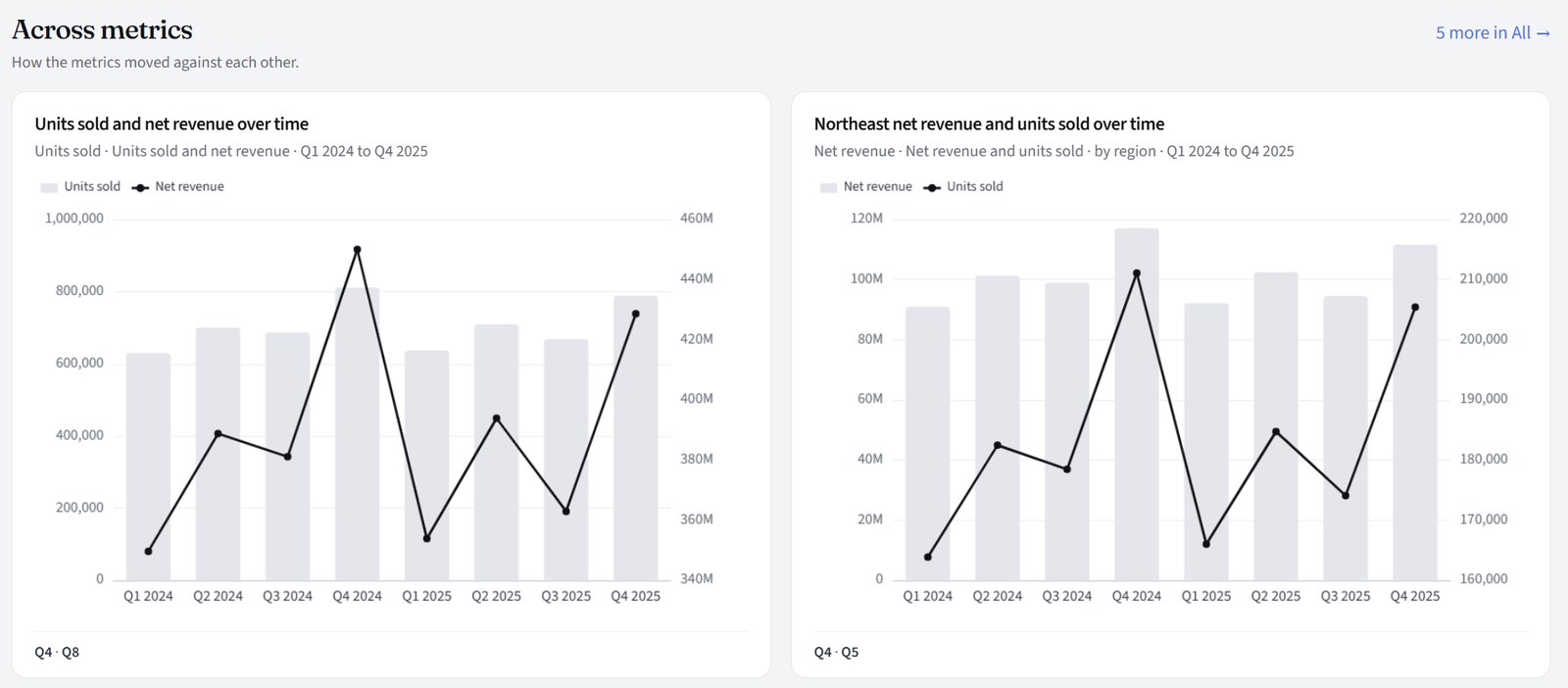
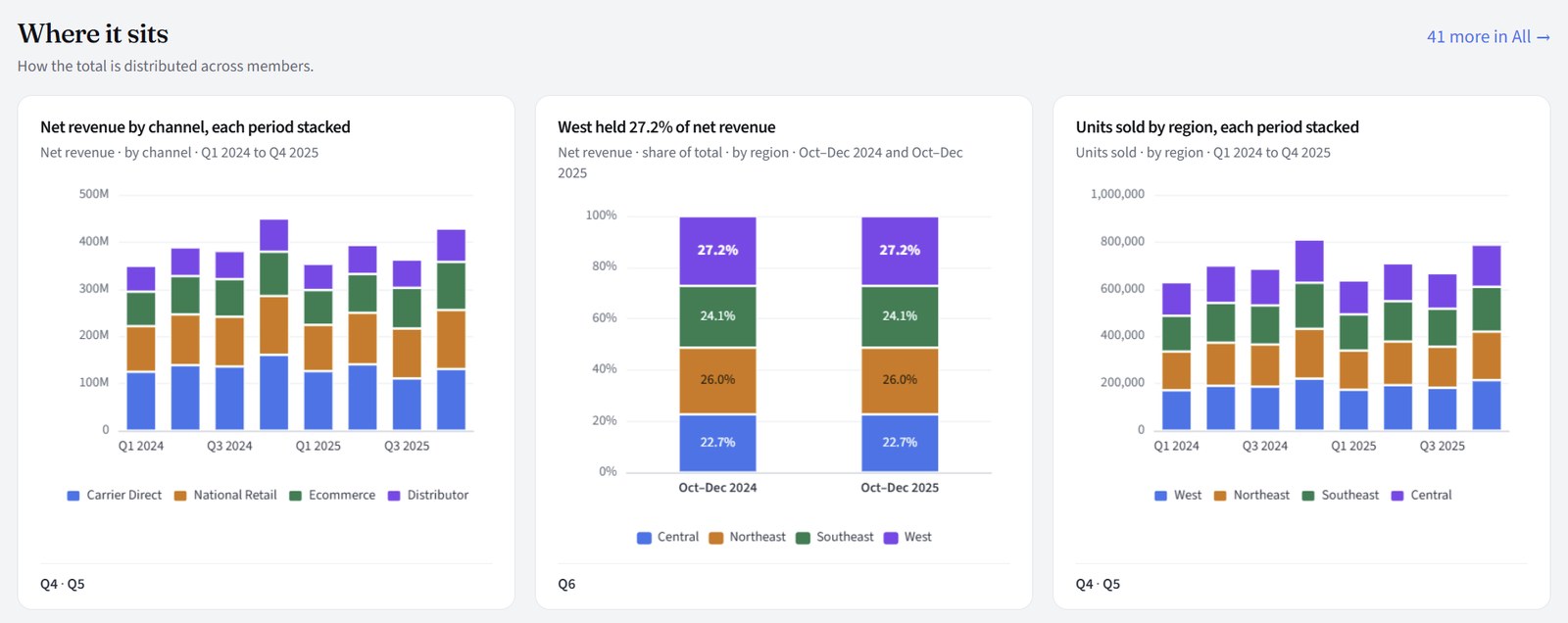
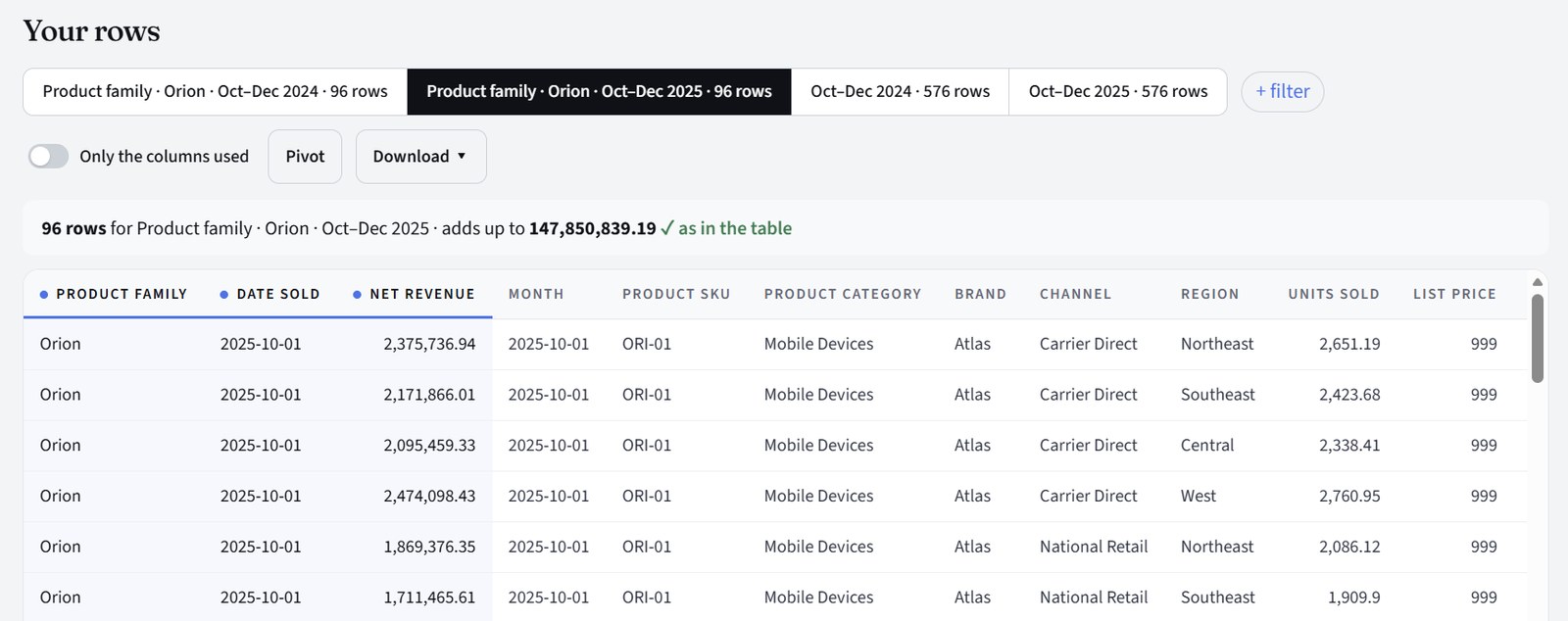
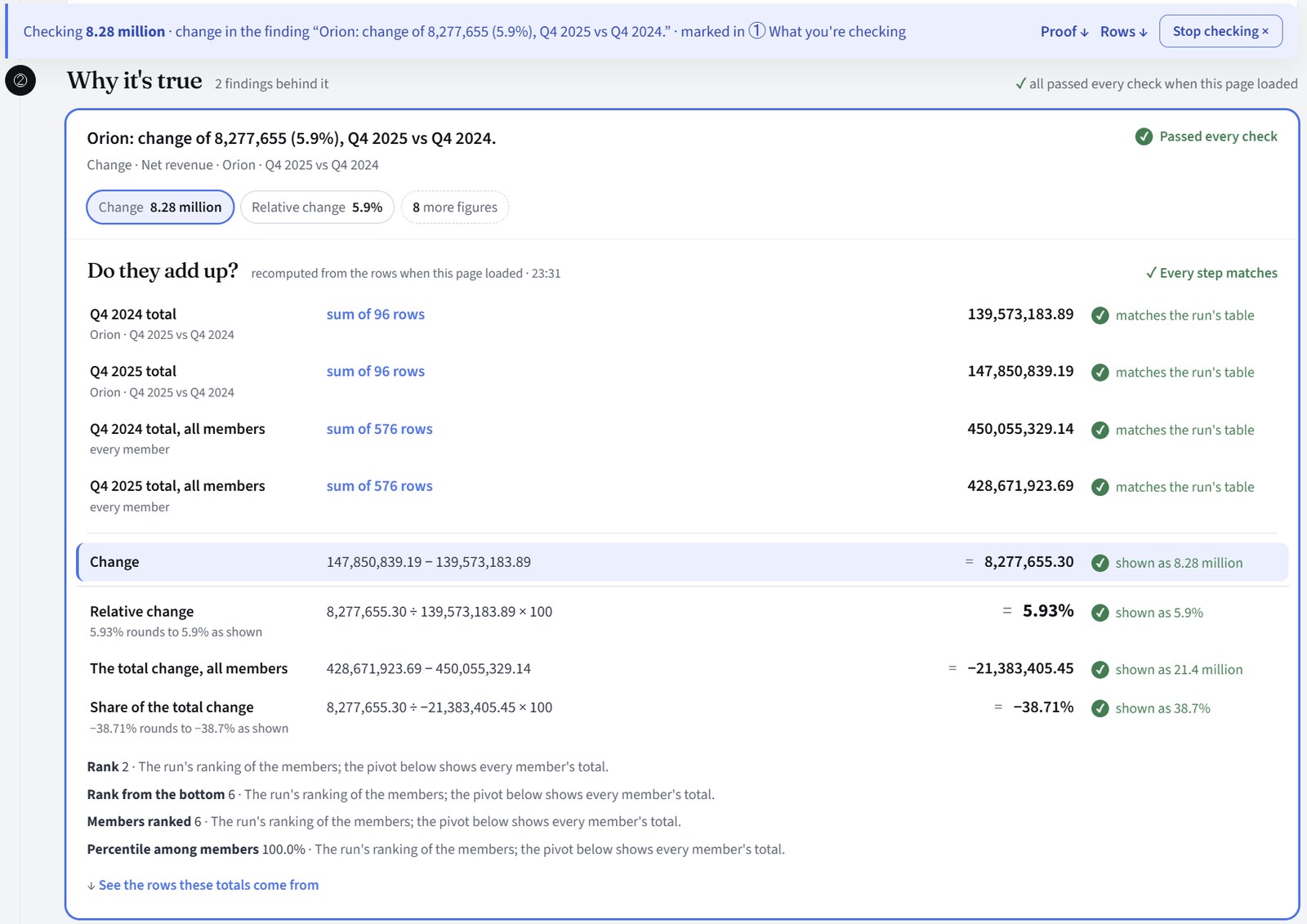
Press Check this on a chart and this page opens: what you are checking, the finding behind it, and the arithmetic step by step, recomputed from your rows when the page loads. Each step says what it matches. Below it, the rows themselves, which add up to the figure on the page, to filter, pivot or download.
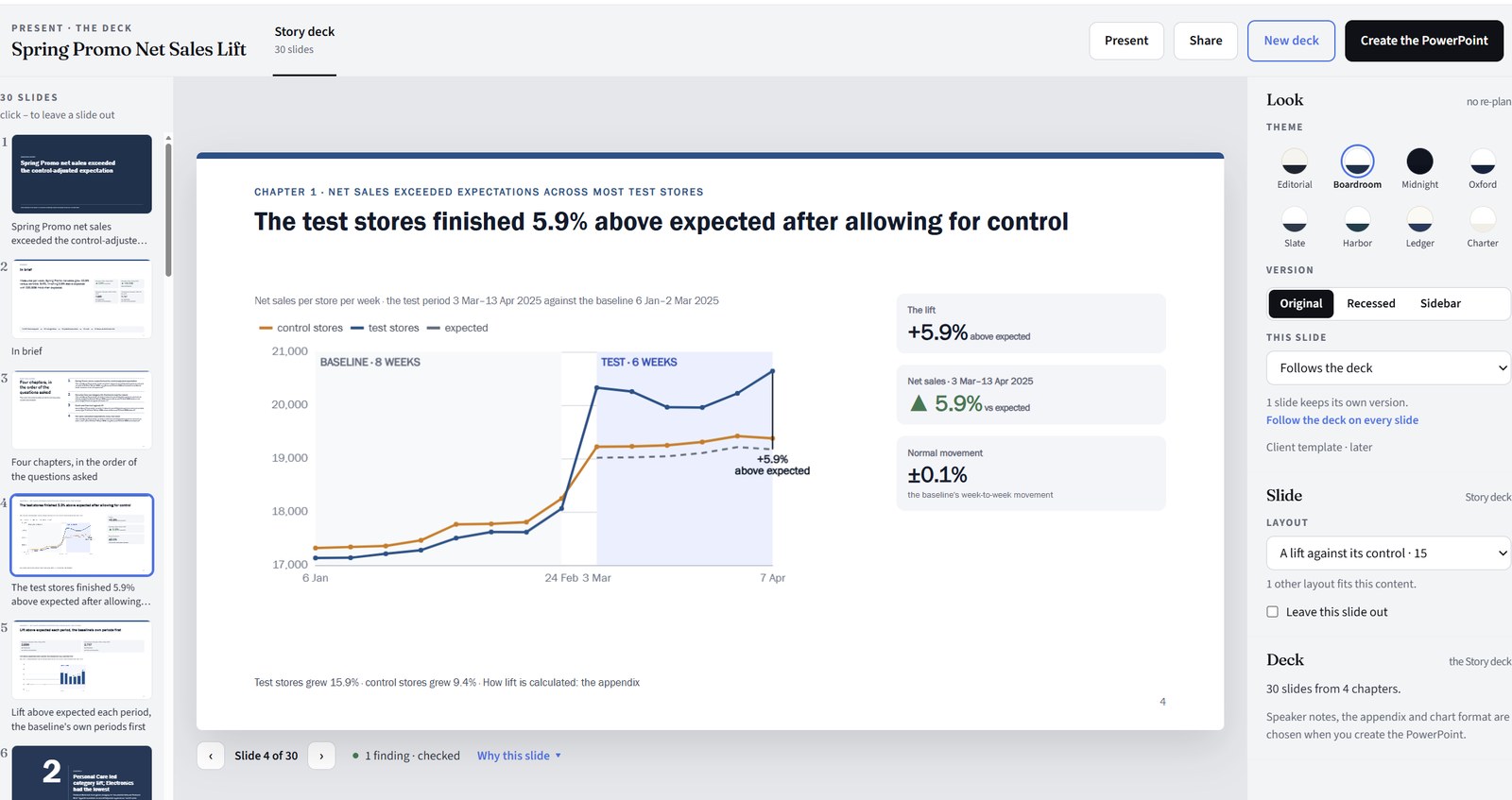
The Story becomes a deck slide by slide, or you ask for a shorter one for a particular audience. Pick one of eight themes, leave a slide out or describe a change to one, then Create the PowerPoint. Its charts stay editable.
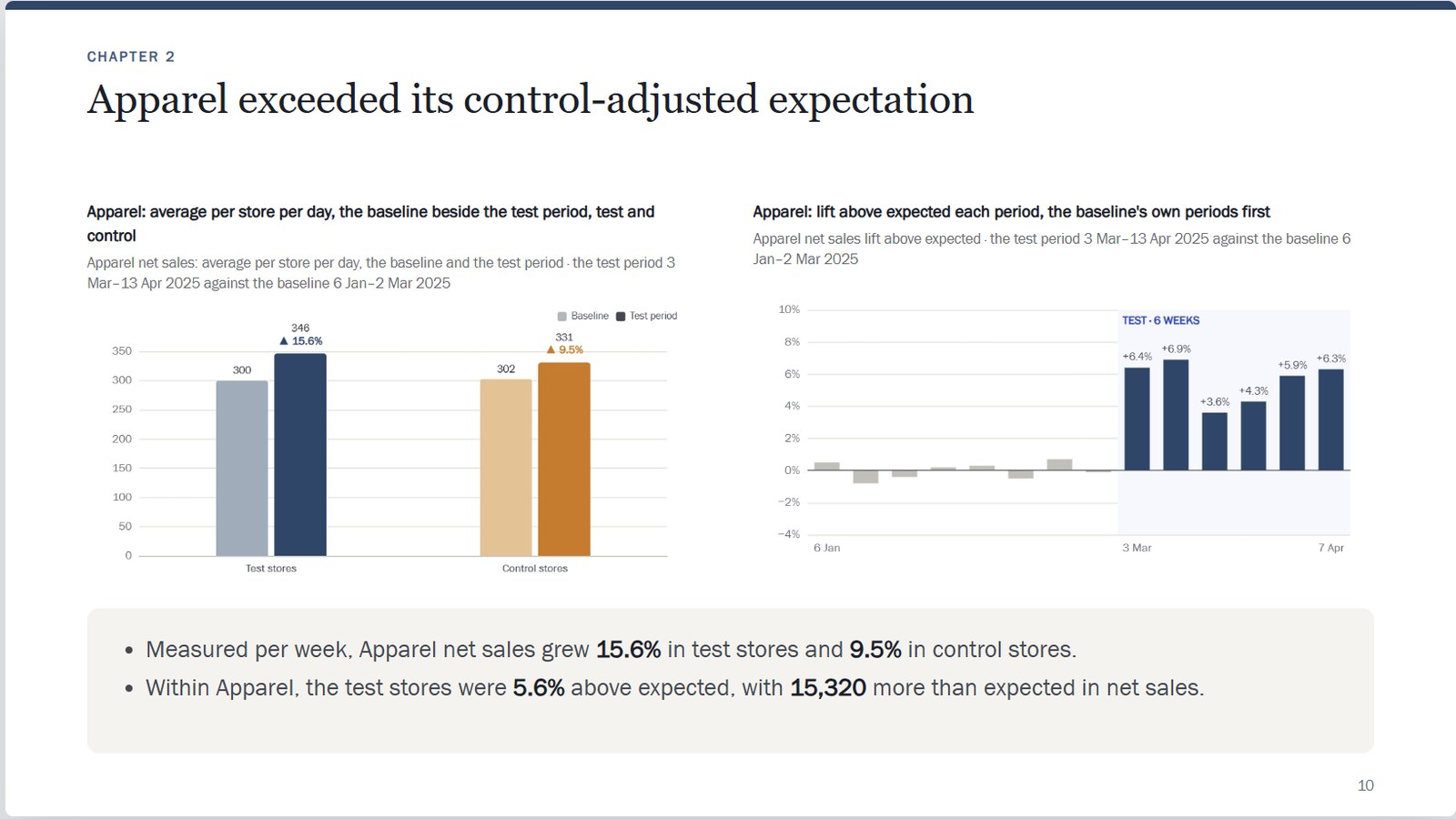
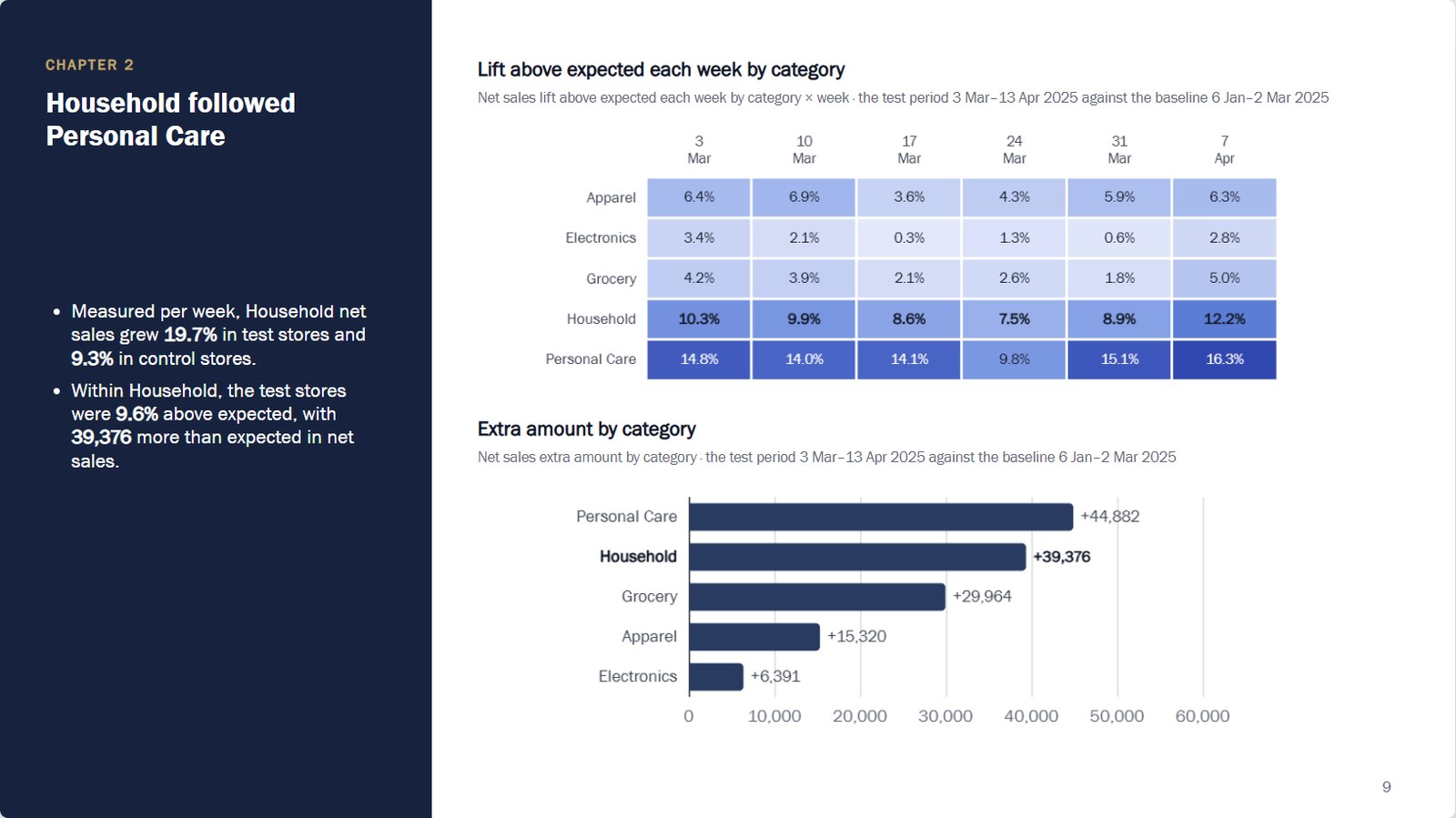
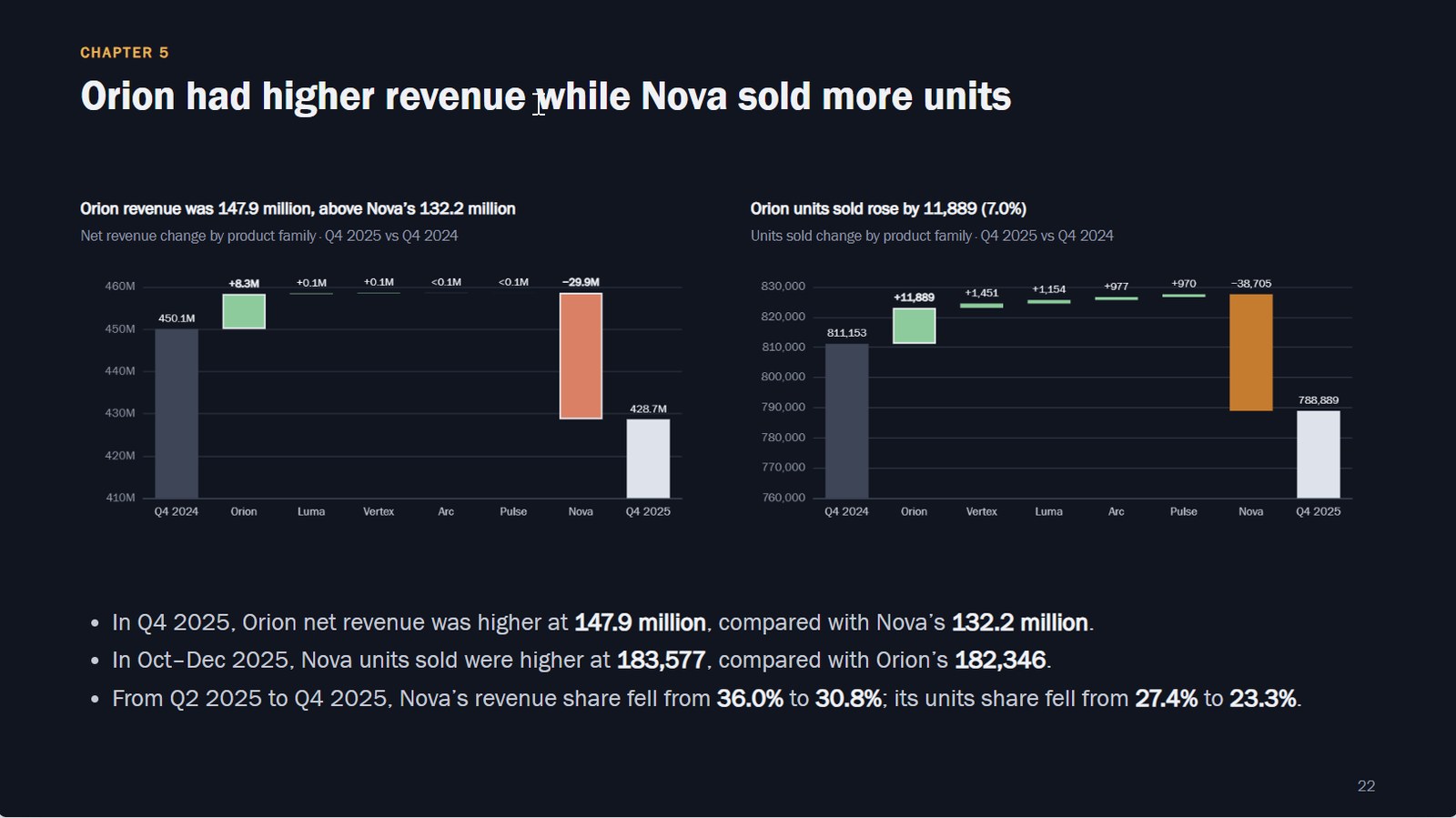
From data to deck in minutes
One dataset: what it holds, its metrics and breakdowns, the published version analyses read, and its duplicate check.
AI seesNothing at upload. At setup, column names, types and counts, plus a sample of up to 10 rows if you allow it.
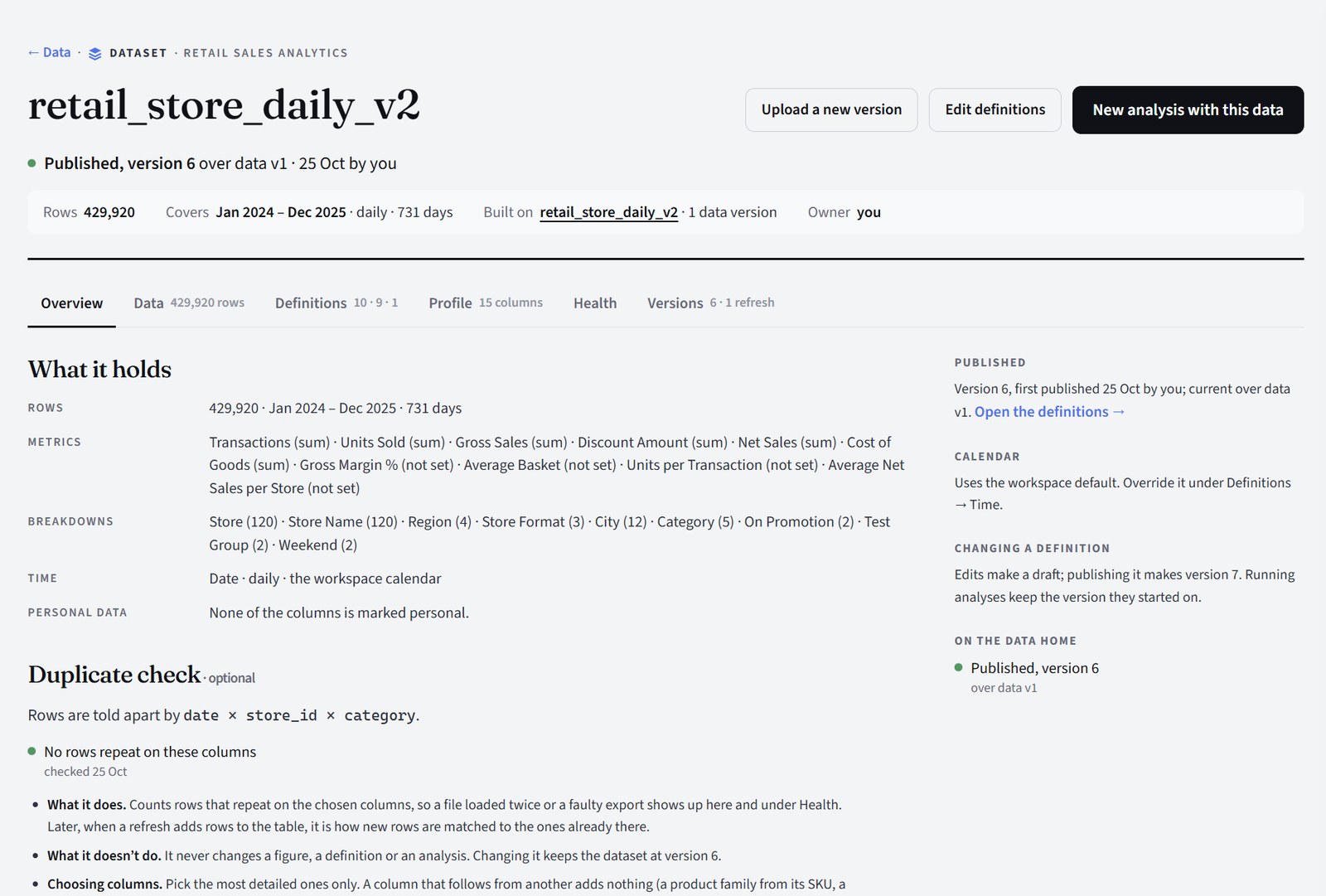
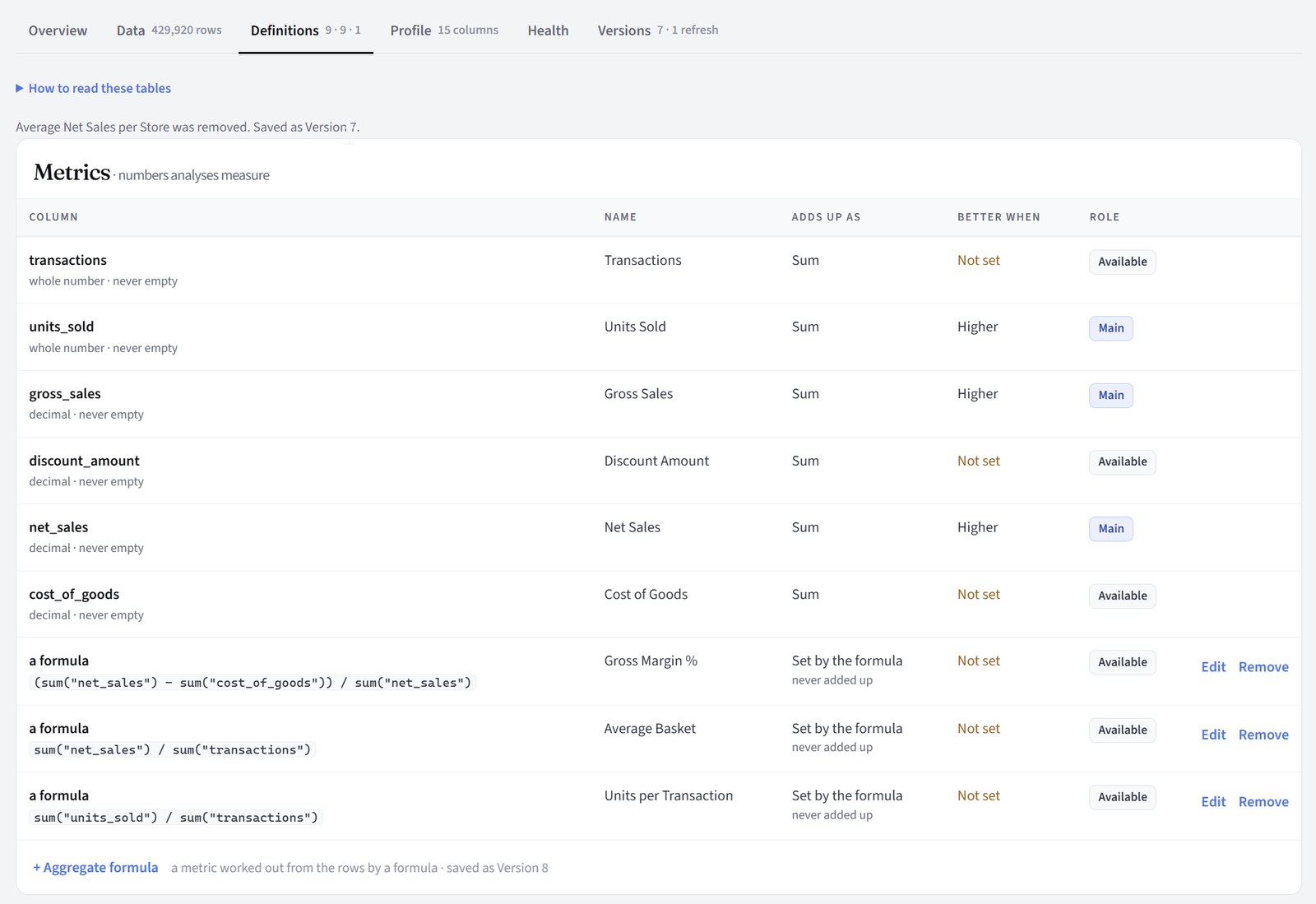
What each column is (a metric, a breakdown, a date), its name, how it adds up and which way is better. Evident proposes them; you review and change them before anything is published.
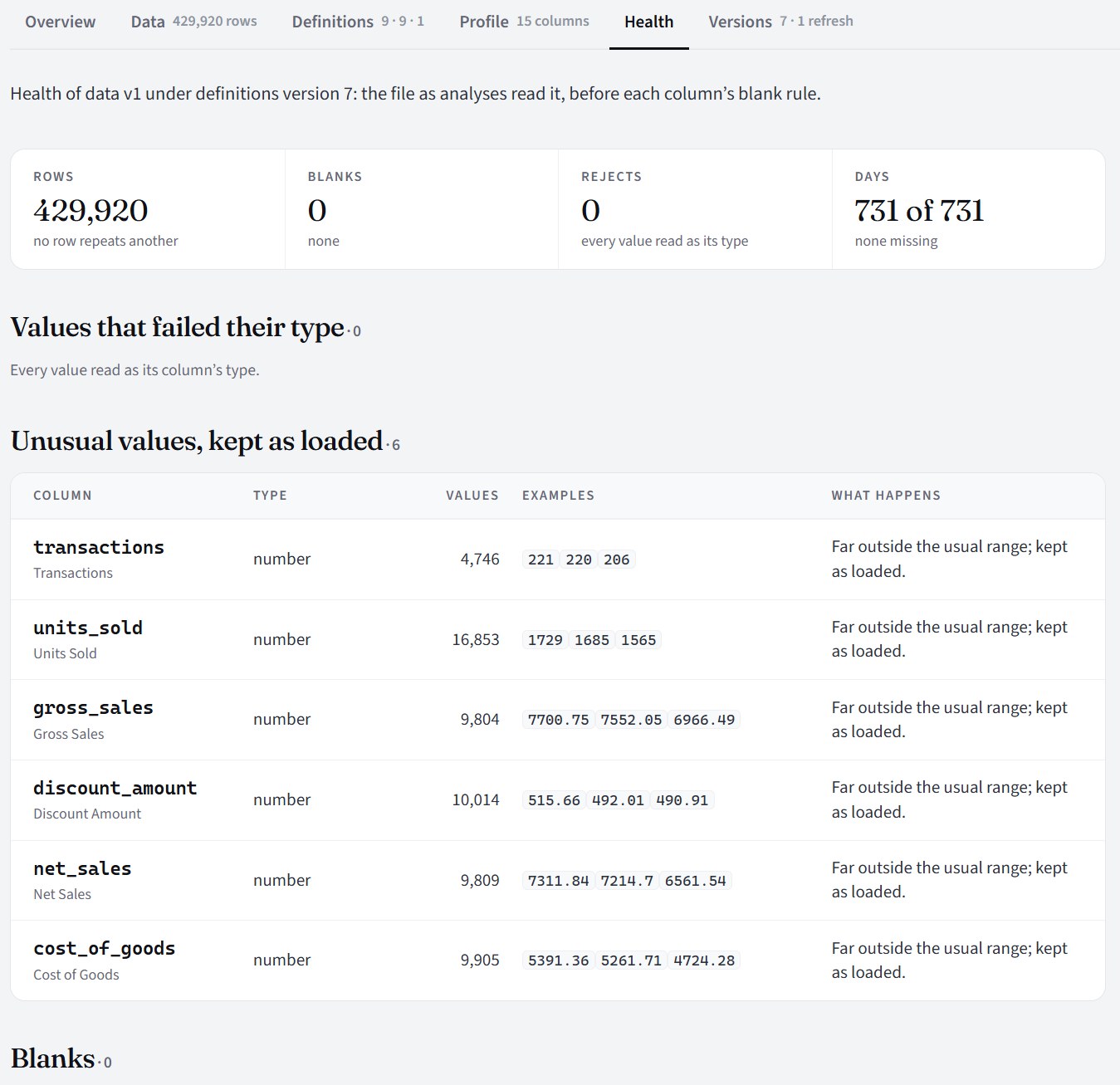
The quality check: repeated rows, blanks, values that don't read as their type, days with no data, and values far outside the usual range. Nothing is changed; each is listed for you to judge.
AI seesNothing. Health, formulas and the rows are code only.
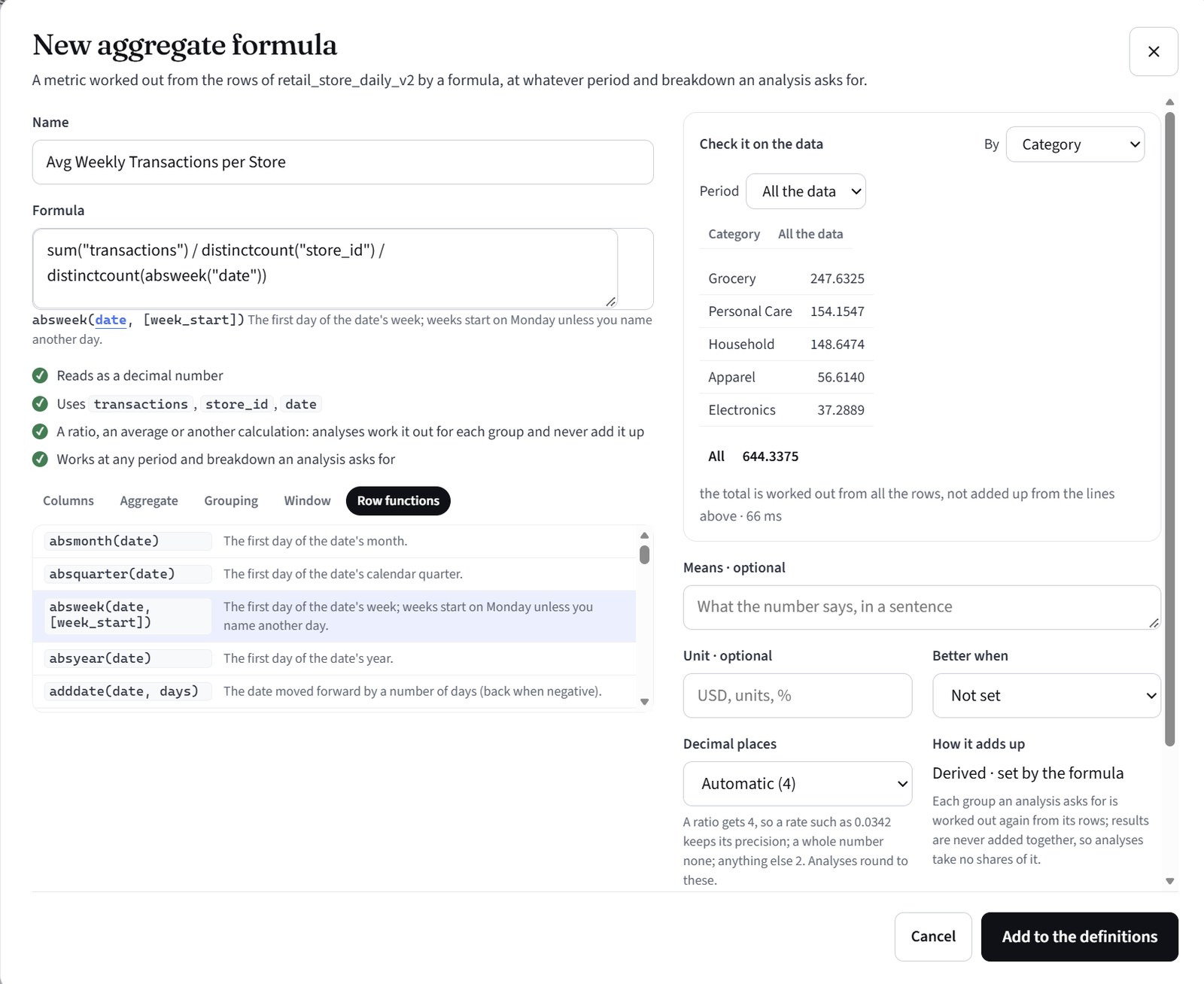
A metric of your own, written as a formula, checked on the data as you type it, and worked out for whatever period and breakdown an analysis asks for.
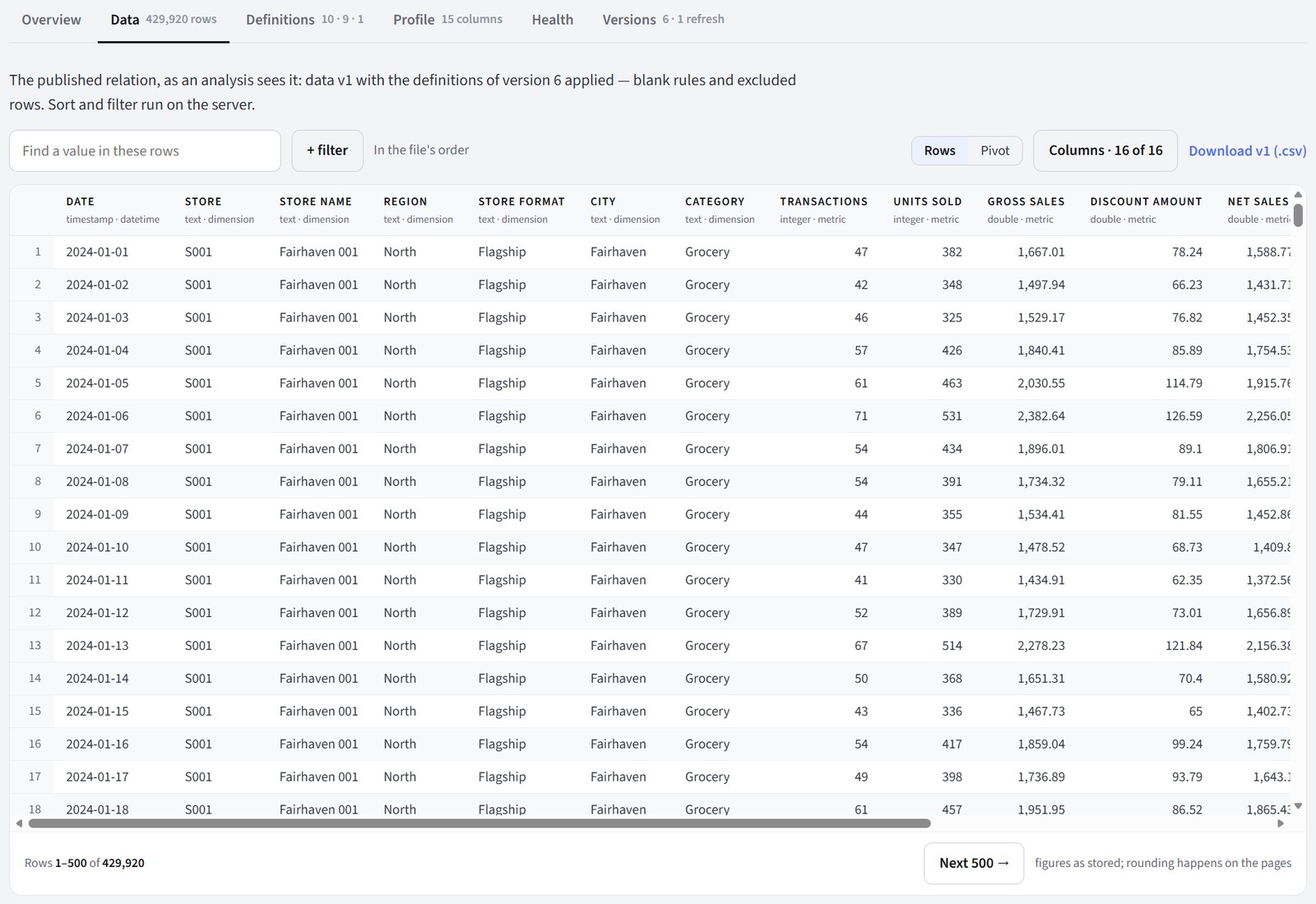
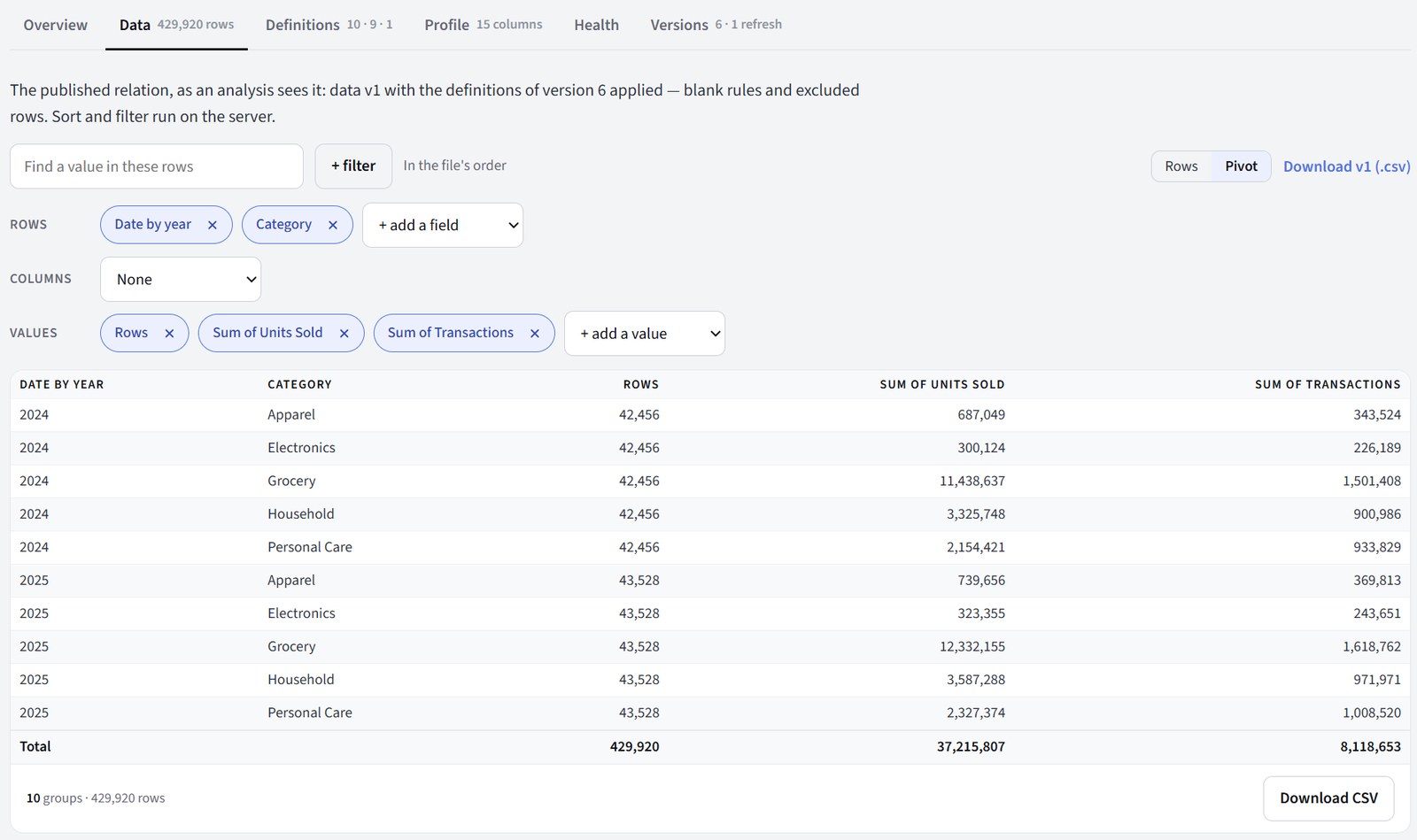
The rows themselves, as an analysis reads them, with search, filters and a pivot. Columns marked personal stay hidden unless you have the right to see them.
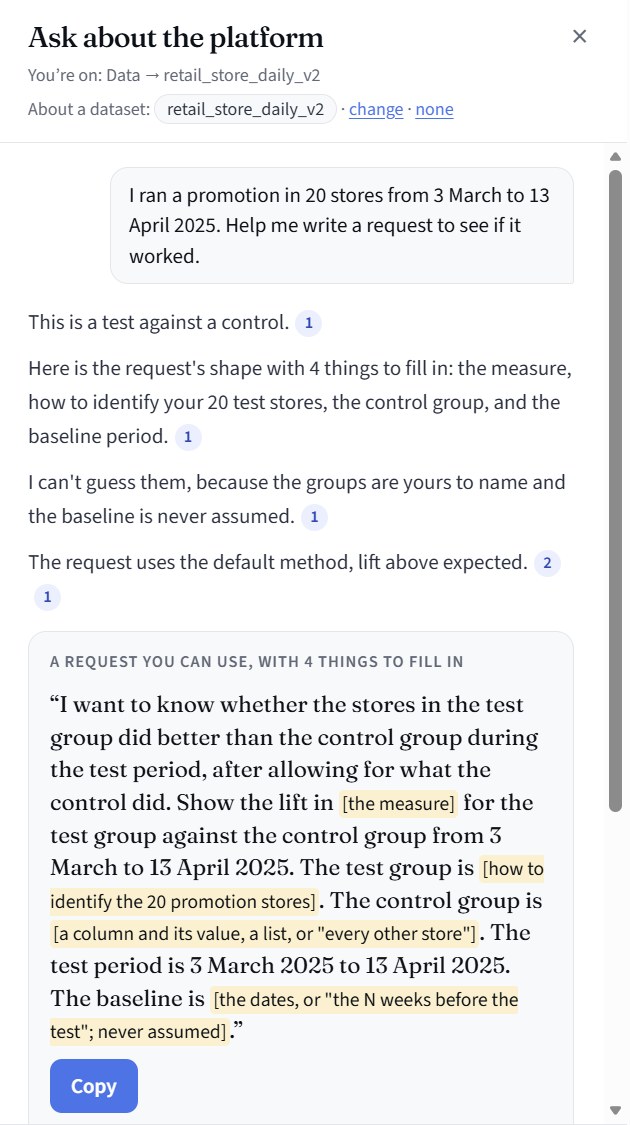
Ask the assistant anything: how a page works, what your data holds, what to ask for. It answers from the platform's Help pages and, if you choose one, your dataset's definitions. It can talk a question through with you or draft a request, and it says plainly when something is outside what it knows or can do. Here it has recognised a test against a control and drafted the request, marking what only you can fill in.
AI seesYour question and the Help pages; a dataset's definitions if you choose one. Never rows. Your question's words aren't stored.
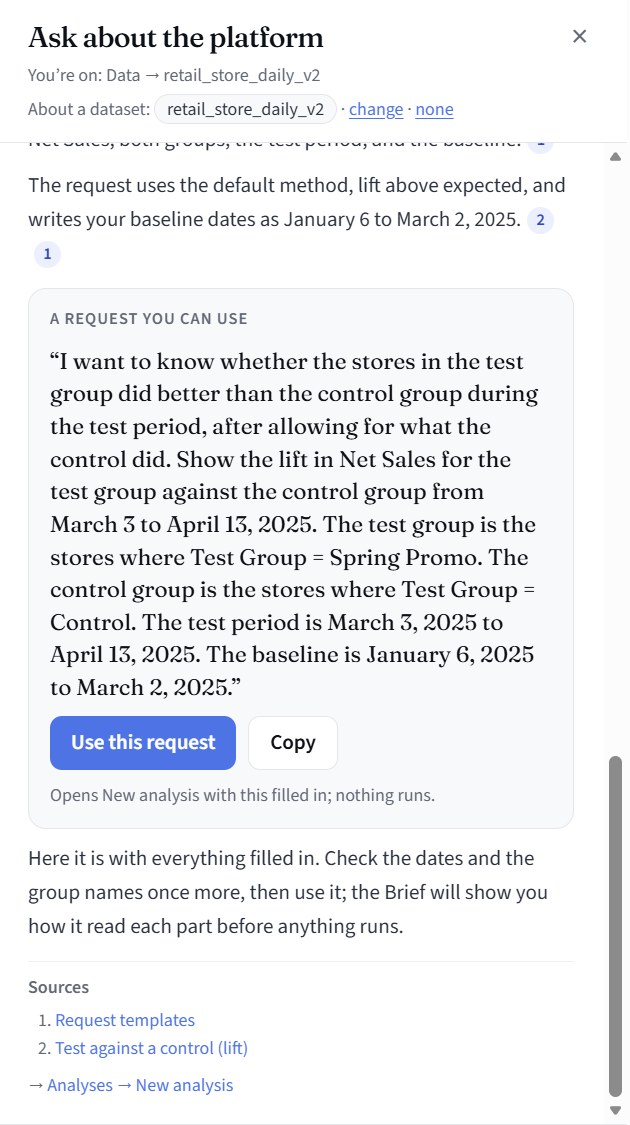
Work it through with the assistant: give it the details it asks for and it drafts a full request, ready to run. “Use this request” opens a new analysis with it filled in; nothing runs yet.
The request in your own words, the dataset and version it will read, and what happens next: the Brief, your check, the Plan.
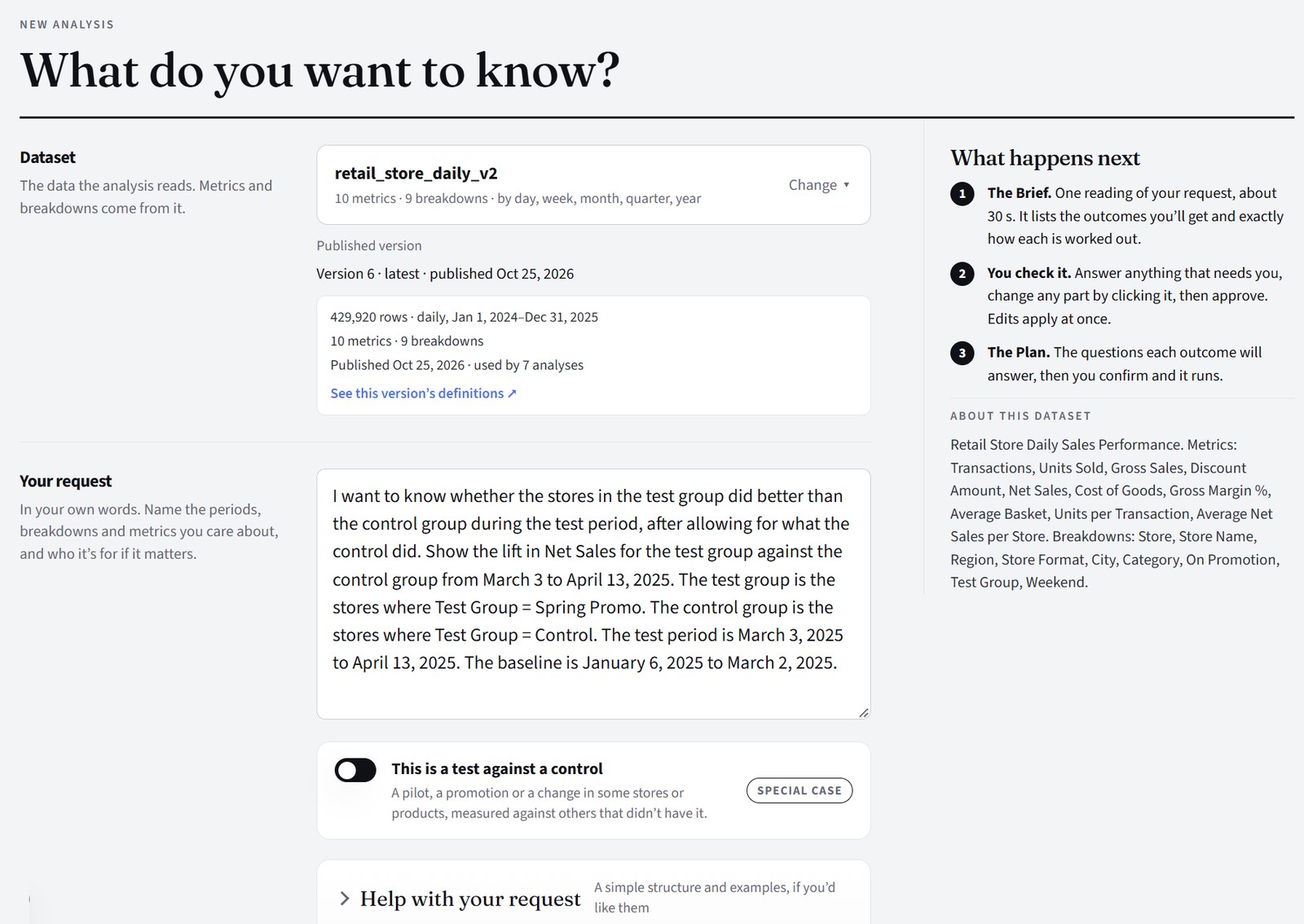
In your own words. While the Brief is made, every calculation in it is checked against the data, so it only offers what can be computed.
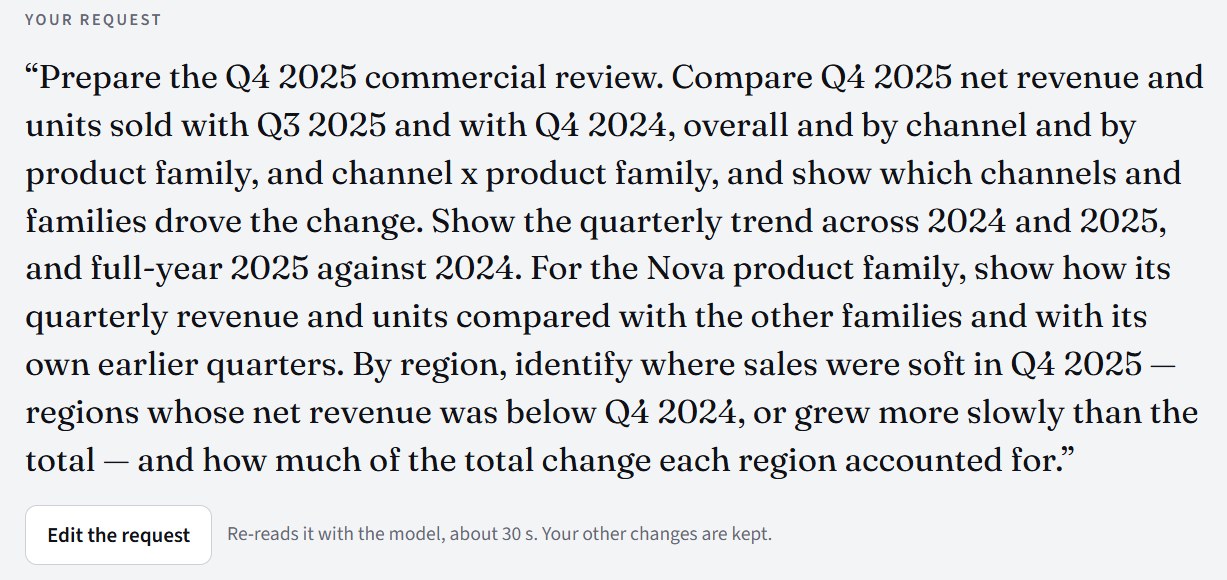
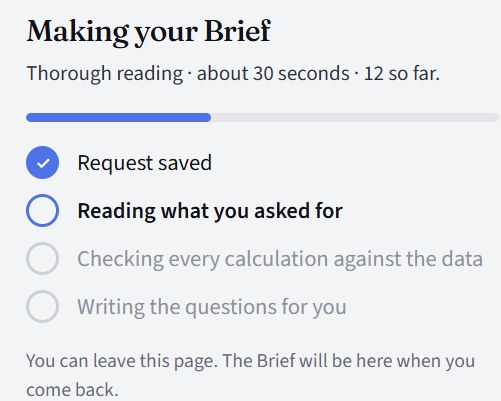
Evident's own summary of what you asked, the data's span, the audience and depth, and the calendar settings it will use, such as when weeks start.
AI seesYour request, the names of measures, breakdowns and categories, and the date range. Never rows or figures.
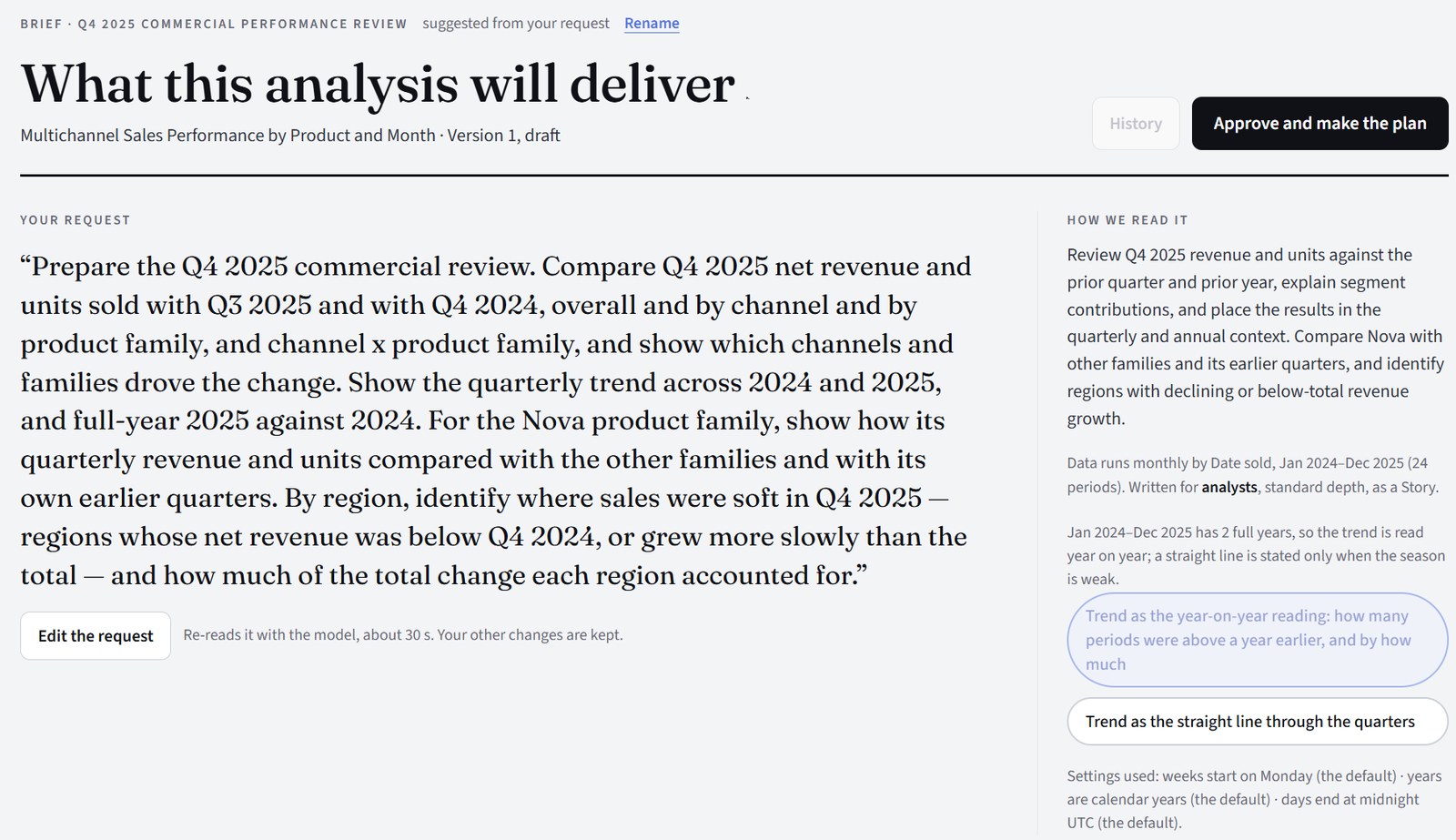
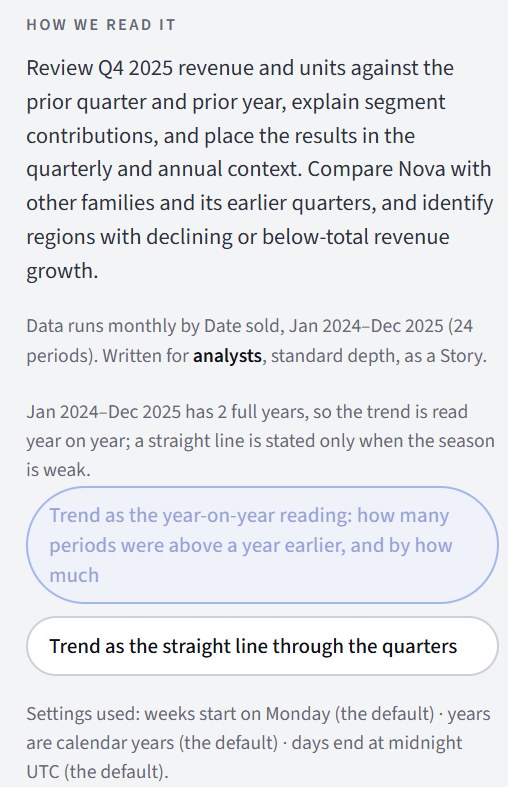
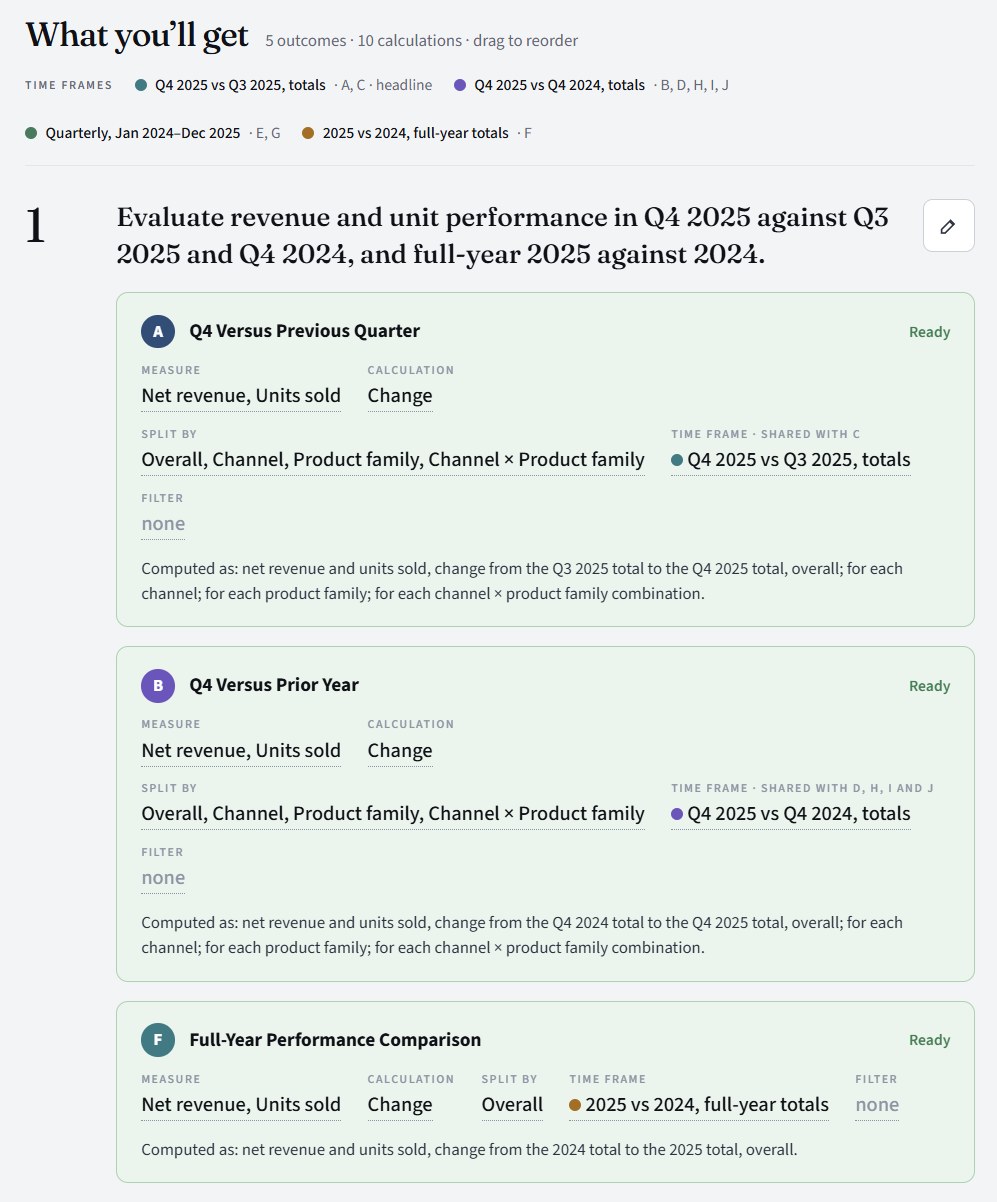
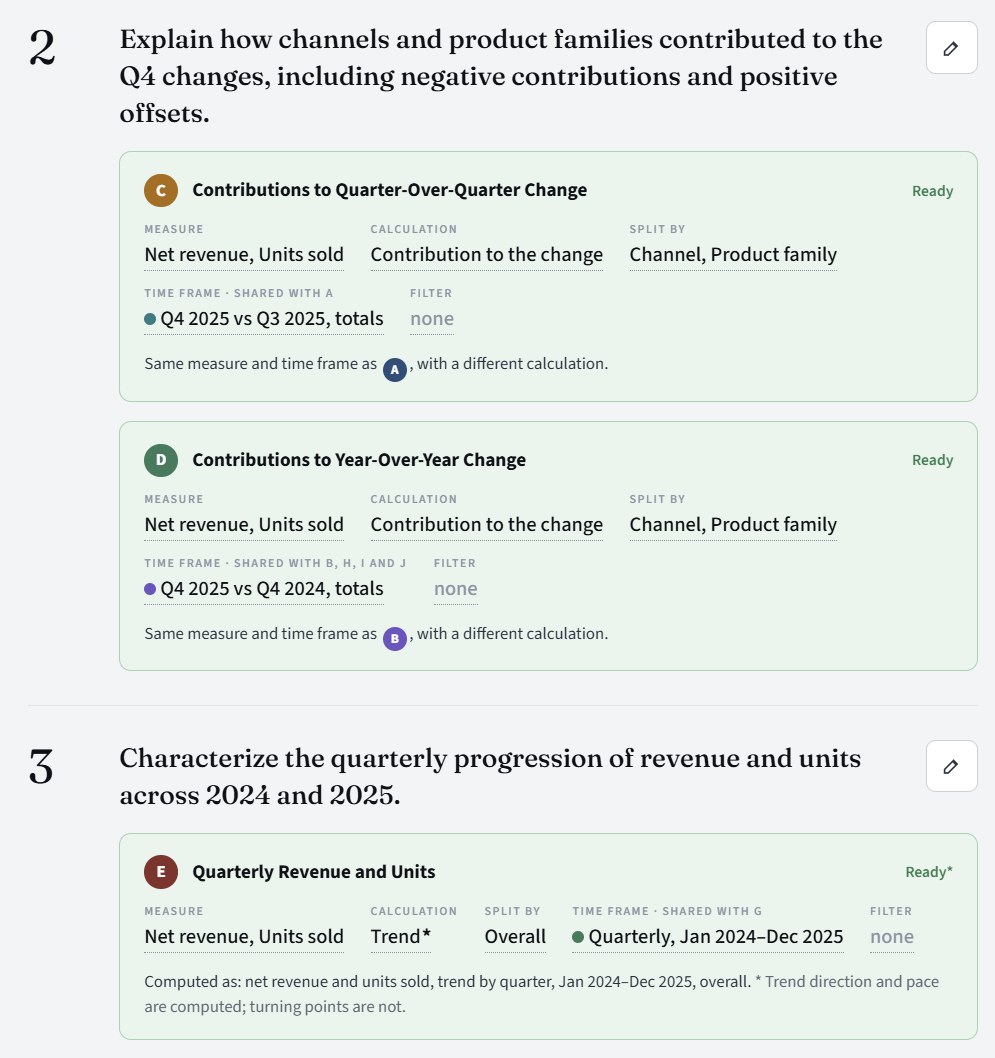
Your request as numbered outcomes, each with the calculations that answer it: the measure, the calculation, the split, the time frame, any filter and a plain “Computed as” sentence. Time frames are shared and color-coded, and the Brief says plainly what a calculation won't compute. Edit anything, or add an outcome in your own words and its calculations are drafted the same way.
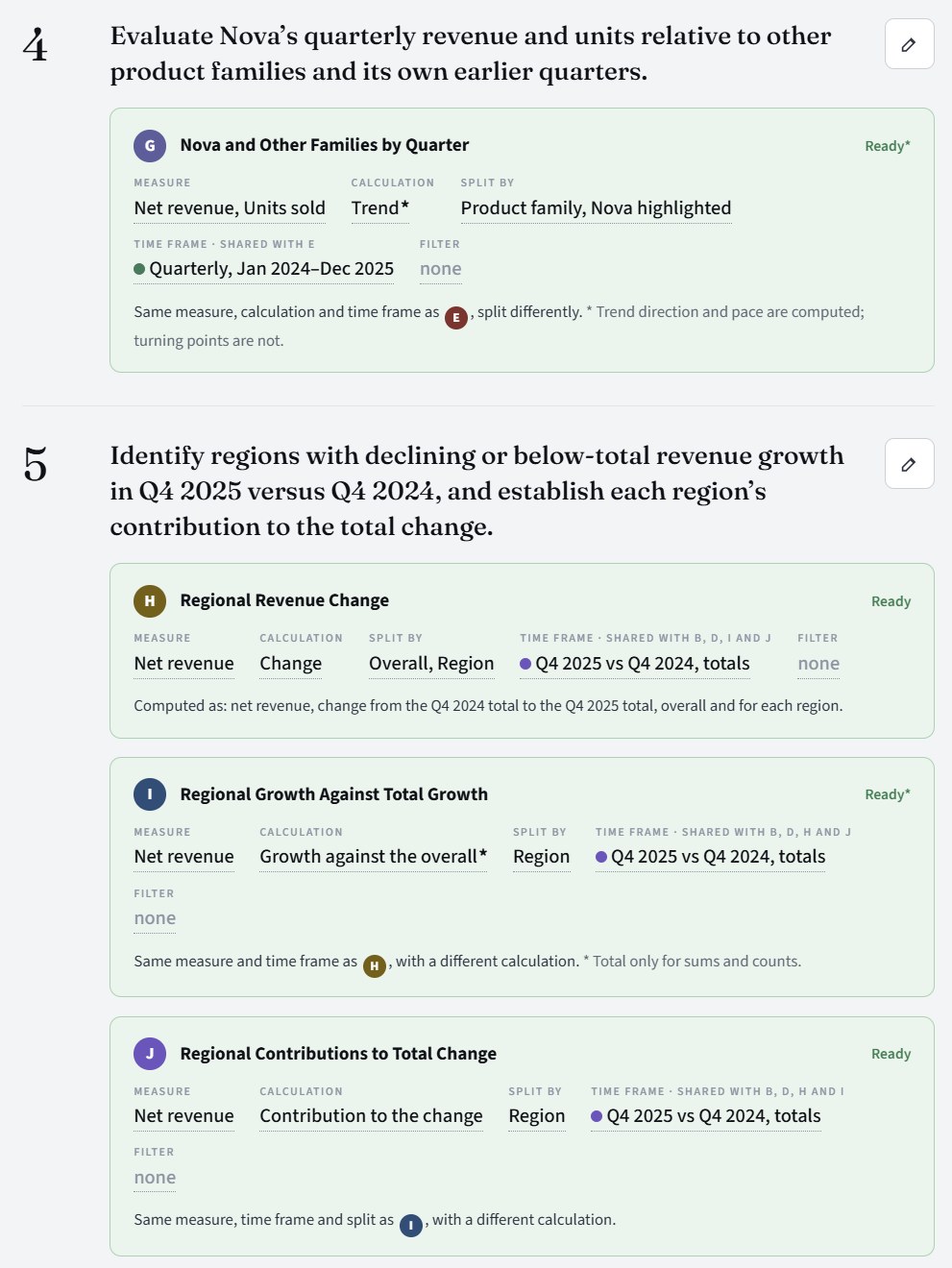
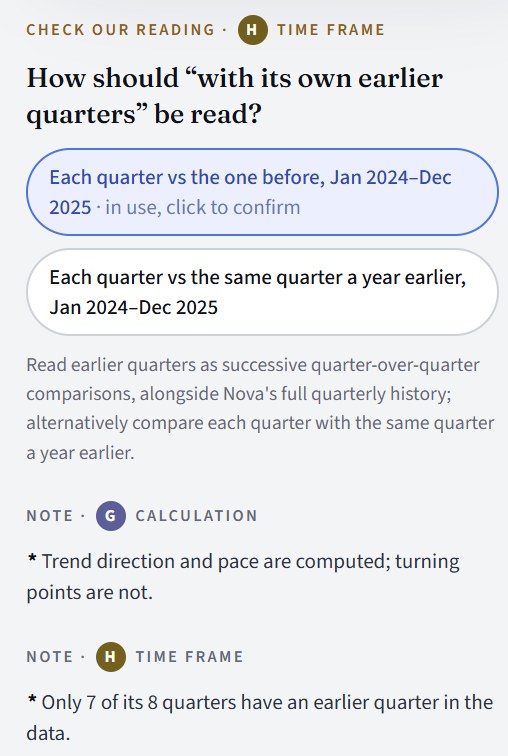
Where a request could be read more than one way, Evident sets out the readings it sees, says which one it has used, and asks you to confirm or choose another. Then: Approve and make the plan.
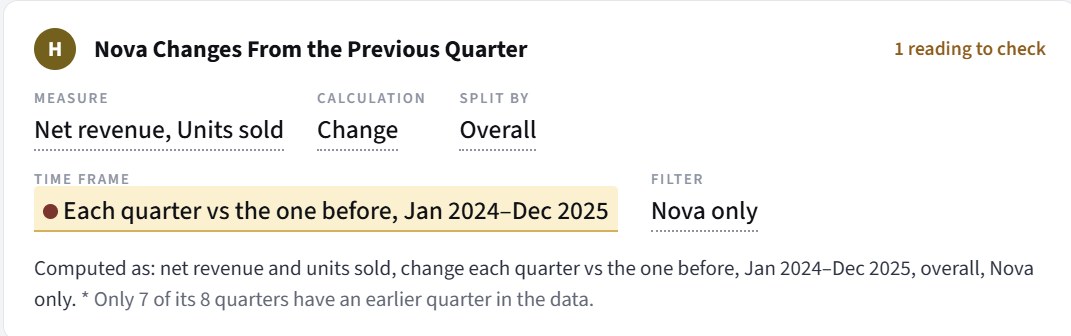
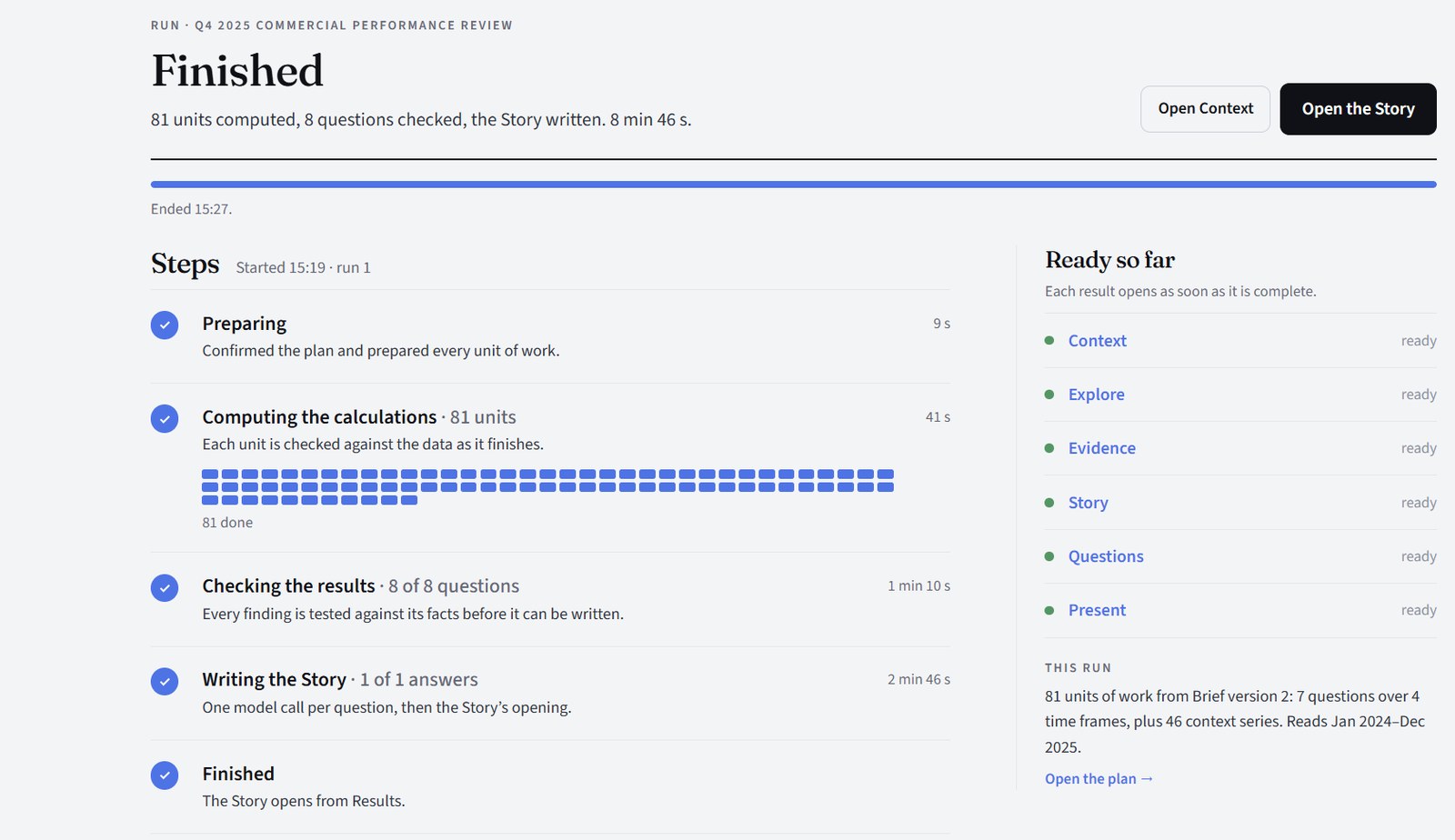
Every calculation runs as code over your rows. Then each finding is tested against its facts before it can be written, and each result opens as soon as it is ready.
AI seesNothing while computing. Then the computed results per question, and the chosen findings, to write. Never rows.
The Story, written from the checked findings to answer your request, chapter by chapter with its outline beside it. Its charts are drawn from the same findings, and what the data couldn't settle is listed under What is open.
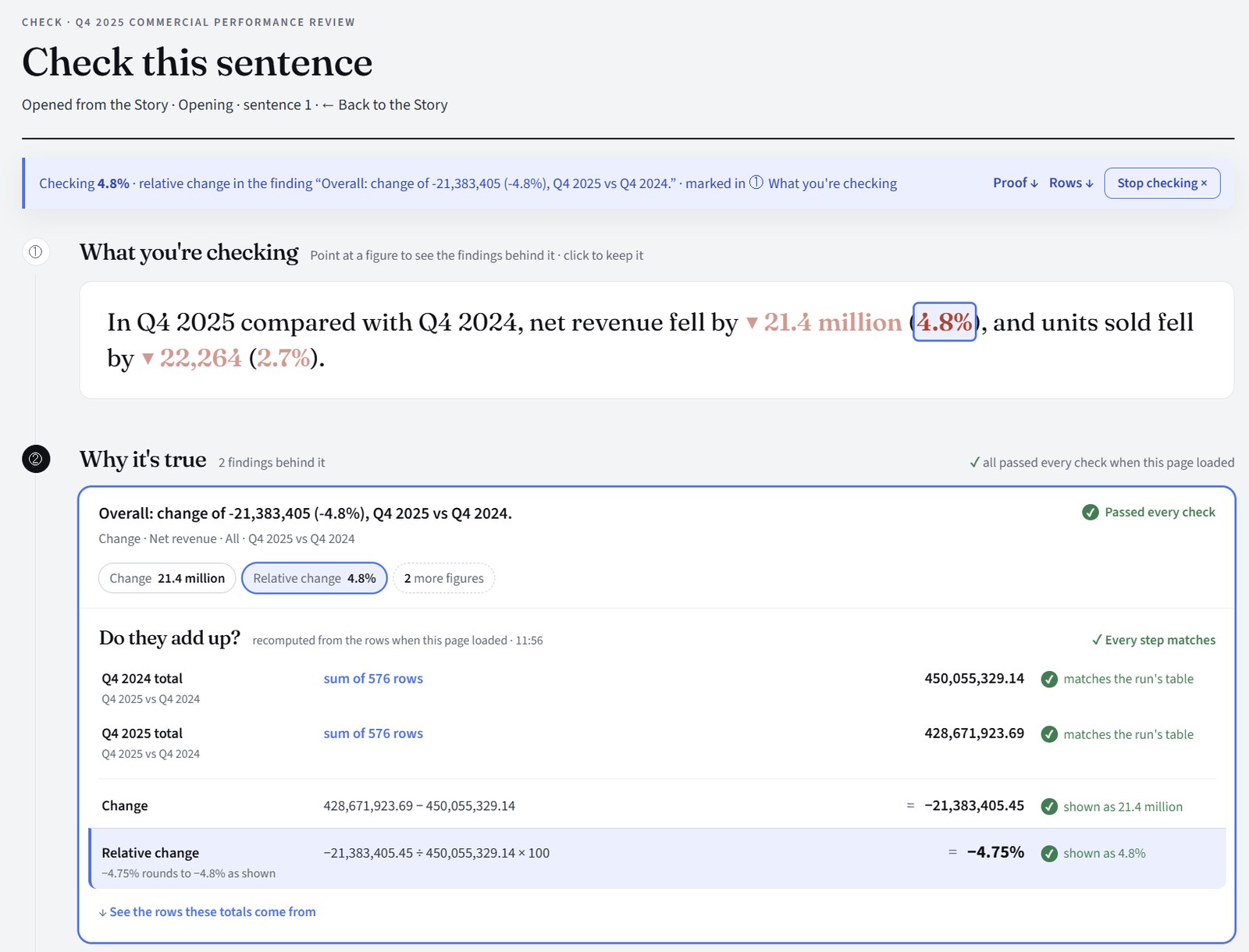
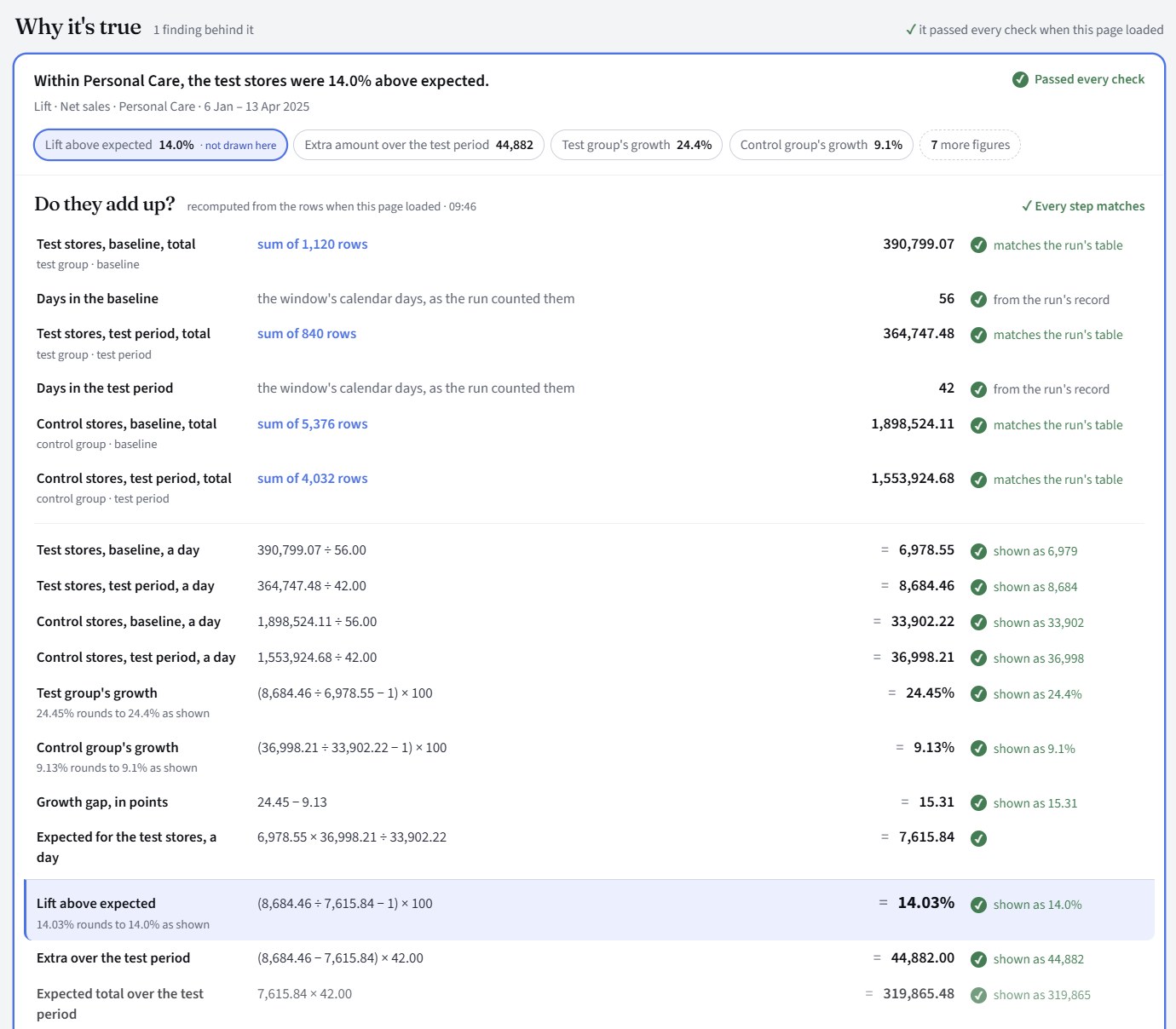
Press Check this on a sentence and the same page opens for it: here the 4.8% of the opening, from two totals of 576 rows. For a lift, every step from the baseline and test-period totals to the figure on the page, each one matched to the run.
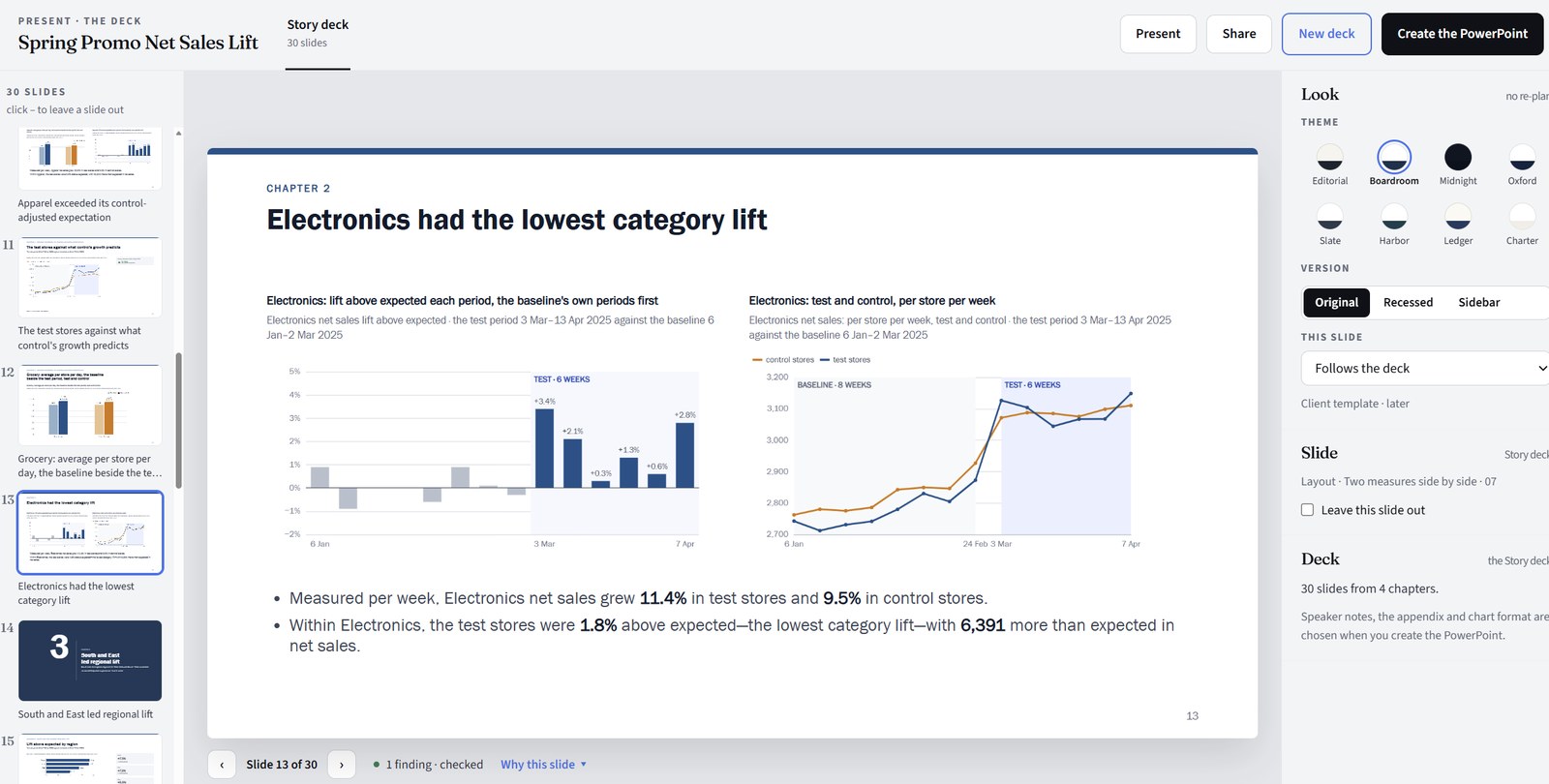
The deck, built from the same checked findings. Leave a slide out, pick a theme, Create the PowerPoint.
AI seesNothing when you read or check, and nothing for the Story's own deck. When you ask for a new deck or a changed slide: the findings it uses, with personal names hidden.
Did the promotion work, beyond what would have happened anyway?
Evident compares a test group with a control group that didn't get the change, across a baseline period and the test period. The members can be stores, products, customers or anything else your data counts. It reports the lift: how much better the test group did than the control group says it would have done. Ask for the measures you want (lift above expected, the growth gap, the extra amount), split it by any breakdown, and see it week by week (month by month on monthly data).

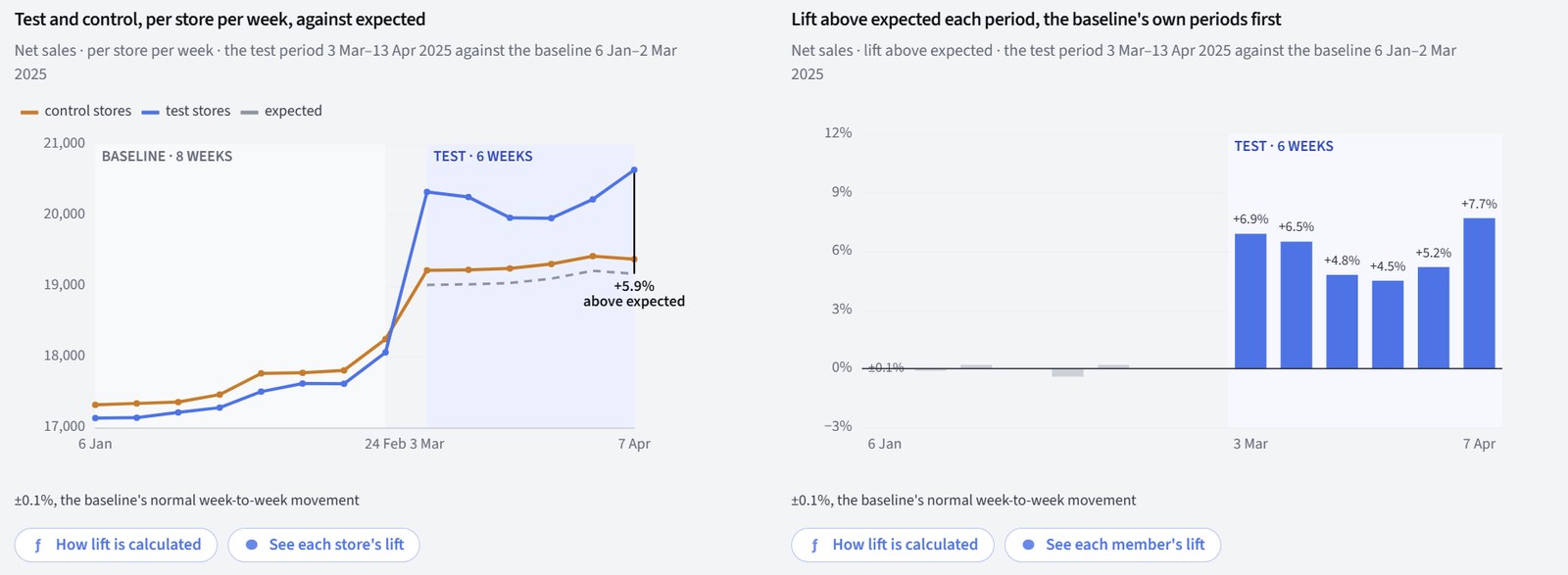
Spring Promo net sales lift, from the Story. Synthetic sample data. Left: test and control stores, per store per week, against the dashed line of what was expected. Right: the lift each week. The baseline's own weeks come first: they sit near zero, a sign the two groups moved together before the test.
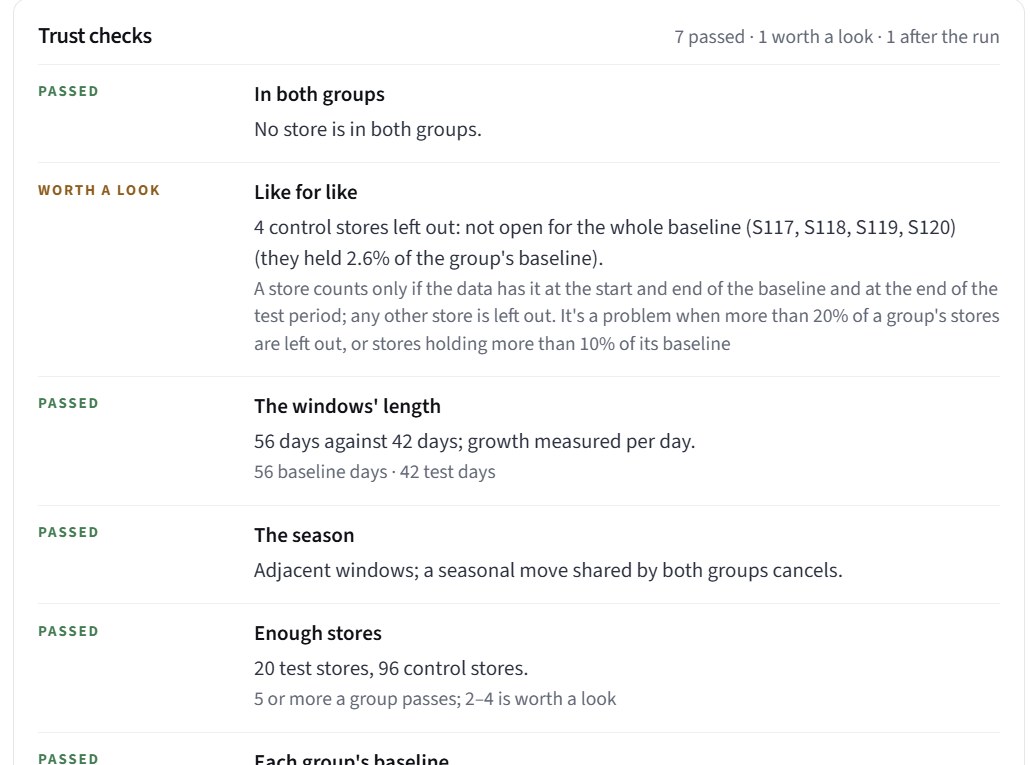
The comparison is checked, and each check says what it found. Before the run, the Brief checks the set-up: no member in both groups, every member present through both periods, periods that compare fairly, and enough members in each group. It lists each result before you approve and says which are worth a look. Two more need the numbers and run with the analysis: whether the groups moved together before the test, and whether one member makes the result.
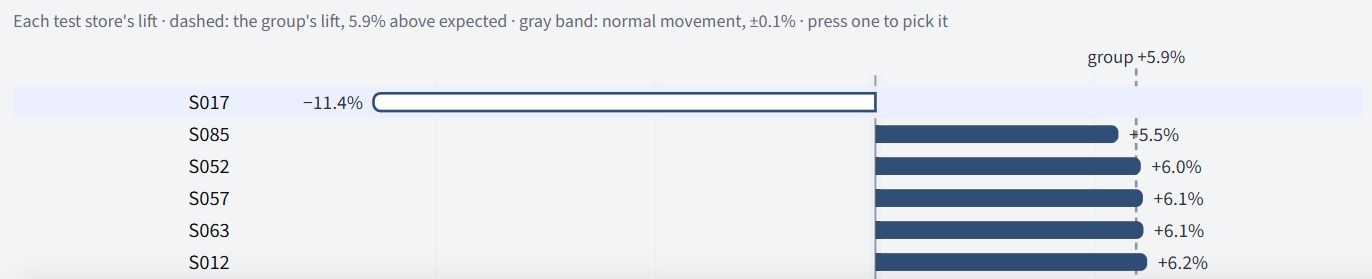
Each store's own lift, and the result without the ones you choose.
The Members page ranks each store by its own lift, against the group's 5.9% and the band of normal week-to-week movement, and marks any store far out of line with the rest. Here test store S017 sits at −11.4%. Pick stores to leave out, and the whole result is worked out again at once, beside the result as run. Control stores can be left out the same way.
Leave a store out, and the whole result is worked out again from the run's own totals.
Here, without test store S017 and control store S088:
“Run again without these” puts them on the Brief as left out by you. Approve it, and the analysis runs again; the run with every store in is kept, and the new results say who was left out and what the lift was with them.

Your rows stay with Evident.
Evident computes every number itself, from your rows, on its own servers. An AI model reads your request and writes up the results. It never sees your rows, with one exception you control: at setup, you choose whether it may see a sample of up to ten rows to suggest what the columns mean.
No row crosses this line, except the setup sample you allow. That gate is yours.
Where it runs, and who signs in
- On Amazon Web Services in Ohio, in the United States. in place
- Behind Cloudflare: the server has no public address. Every request comes through an encrypted tunnel, after sign-in. in place
- Each person signs in with their own email, by a one-time code. The app checks the signed sign-in token on every request. in place
- Single sign-on with your identity provider (Microsoft Entra ID, Okta, Google and others), and with it your two-step login rule. on request
Who sees what
- Each client is its own organization, with its own workspaces. The database itself keeps every workspace's data apart, with row-level security on every table, not only a rule in the app. in place
- Seeing a dataset's rows needs its own right, "Can see rows". Columns marked personal stay hidden until someone with that right shows them. in place
- Every viewing of rows, and every change, is recorded. in place
- One named administrator at PhasePoint, for operating the service. Console access and every sign-in are logged. in place
How it is stored, and deleted
- The database holds definitions, analyses, results and Stories. A storage bucket holds the files and rows, under each workspace's own folder. in place
- Encrypted in transit between your browser, our servers, the database, the storage and the AI provider. in place
- Encrypted at rest by AWS: the database and the file storage. in place
- Automatic daily backups of the database, restorable to any point in the last 7 days. in place
- Delete a dataset, a table or a run from the app; a preview lists exactly what will go first. in place Full removal of everything you sent us, including the stored files, history and backups. on request
The AI provider
- OpenAI, through its business API. OpenAI does not train its models on API data. in place
- Every call is made with OpenAI's storing switched off, so it keeps no copy of the conversation. in place
- OpenAI may keep content up to 30 days in its abuse-monitoring logs. Zero retention with OpenAI. on request
- The model never computes a number. Code does, from your rows, and every number it writes is checked against the computed fact before you see it. in place
For stricter needs
- Names and counts only at setup, as your organization's or workspace's default in Settings, so the model never sees a row at all.
- Your own Azure OpenAI, so model calls run in your Microsoft tenant, under your agreement.
- Evident in your own cloud account, so the data never leaves your network. A project we do with you, not a switch.
- The step-by-step detail, the provider settings and a short Q&A are on How Evident handles your data.
Items marked "on request" are arranged per client. This describes Evident as of its October 2026 release.